Categories
Personal Computing Technology Video

PlexGoes to Jail

Last month, I wrote about commissioning Plex Media Server on a ZimaBoard. All appared to go smoothly except that the service kept failing. The transcoders just wouldn’t run on the little Celeron processor in the Zima Board. Plex Media Server was not stable on the Zima Board so I sent it to jail. After the break, I describe how Plex was failing and what I tried next.

Categories
Home automation Home Economics Personal Computing Technology Video

An Introduction to ZimaBoard’s Docker Environment

Dismal Wizard (DW) was having difficulty finding TV programs to watch although we had multiple program sources. DW decided to try Plex Media Service. Plex needed hardware support so he bought a ZimaBoard, a small X86-64 computer. DW had a go setting it up to run Plex. This post summarizes our experiences with ZimaBoard and and its CasaOS Docker working environment. There was a learning curve but nothing experimentation couldn’t conquer.

Categories
Personal Computing Technology Video

Introducing Channels DVR

In the beginning there was ATSC 1.0 off air. With Dismal Wizard’s return from Rhode Island to Virginia, we installed a TV antenna and set up our first TabloTV DVR. Ten years later, ATSC 3.0 has been rolled out. ATSC 3 continues with the 8VSB waveform but has changed the protocol data unit formats to allow additional video codecs to be used including the recent H.256 codec. These changes allow more on-air channels than were possible with the original ATSC 1 codec suite.

The ATSC 3.0 signal has 2 parts, a bootstrap sent periodically that describes the signals available in the channel and the various program frame streams. The receiver listens to the bootstrap to determine what is available and what can be decoded.

After the break, I describe the changes we made to move to ATSC 3.0 here at Dismal Manor.

Categories
Audio Personal Computing Video

M1 iMac Pre-Purchase Planning

M1 iMac stock image courtesy of Apple.

I expect Apple Silicon to have a major impact on the functionality of the iMac. The addition of the custom rendering and custom machine learning hardware resources places the desktop Macs on par with the iPads and iPhones opening possibilities for audio and video processing on the new products. So I decided to be an early adopter while my 2017 iMac had some trade-in value.

In this post, I’ll talk about some things to consider in the pre-purchase planning phase.

Categories
Personal Computing Video

House of Worship Streaming Video Production System

During COVID-19 pandemic restrictions, my church used Zoom to stream worship services for the congregation. With the easing of pandemic restrictions approaching, the congregation desires to live stream the service in our hall. What is involved?

For one thing, Copyright. As a house of worship, use of copyright material in our hall during service is provided explicitly in the law. Once we start streaming copyright music and spoken word to an open congregation or including it in podcasts, we need to obtain a rights license, keep records or what we used, and report usage to our license grantor.

In this blog, I will examine one possible architecture for live production of worship video for recording and streaming. This system has yet to be built and operated so this design should be considered purely notional.

Streaming hardware and services are in rapid flux. The pandemic has spurred investment in new products and services that didn’t exist a year ago. For example, Black Magic Design has optimized many of its products for volunteer use in house of worship and similar environments, ProPresenter 7 supports streaming and capture, and services such as Resi provide robust content delivery to identified endpoints.

In a future blog, I hope to talk about our lessons learned cobbling together a video production workflow. The equipment is the easy part. Volunteers are the hard part. As with all systems of this type, the people investment is larger and more valuable than the stuff they are using. But good stuff is easier to learn and operate reliably.

Categories
Audio Music Technology Video

A Little Raspberry Pi

I’ve been watching to Mandolin.Com live stream shows during the live music quarantine. My old practice was to AirPlay from an iPad to the lounge AppleTV. I got tired of this (WiFi stalls next to the airport) and decided to eliminate the stuff in the middle. Raspberry Pi Foundation came to the rescue.

Categories
Personal Computing Technology Video

Got Mandolin Shred?

This Sunday, I watched a Punch Brother’s live show. Yes watched Punch Brothers live streaming an hour-twenty or so of non-stop live music. Just five guys and a Neumann U-87 performing Oprey style like they always do on stage. Lots of tuning as keys changed. But tight and moved.

Punch Brothers engaged Mandolin.com a start up streaming production company to produce the show. Mandolin handled the lighting, video production, stream production, and content distribution and ticketing. The band prepared and practiced like they would for any live gig. Mandolin boffins and roadies handled all the tech for the show.

Publicity for the show. A Punch Brothers tweet, a Chris Thile retweet. Don’t know how big the crowd was. Dismal Manor was a sudden sailor for $25. Calvin needs shoes, what can I say?

Categories
Audio Personal Computing Video

New Kid On the Block

For some time I’ve been wanting to move media serving off of my Mac Mini because the design of the available servers requires the machine to be running and logged in which vastly increases its attack surface. I’d been looking for a number of alternatives, particularly one that was energy efficient, had a low footprint, and would be doing what it was designed to do. nVidia came to the rescue about a year ago with nVidia Shield TV, an Android TV. So I’ve allowed the Android camel into my tent.

References

  1. https://support.plex.tv/hc/en-us/articles/221099988-Setting-Up-and-Managing-Plex-Media-Server-on-NVIDIA-SHIELD retrieved 2 December 2017.
  2. https://shield.nvidia.com/support/nvidia-android-tv/faq/1
  3. http://www.practicallyefficient.com/2011/03/18/rsync-automator.html

Before you buy

Do two things. First, read the fine manual at [1]. Go through the FAQS at [2]. I didn’t include any video links as most are long on talk and low on information density. The links above will take you to the setup screens so you can review them.

You will need internet service. Shield has both WiFi and Ethernet interfaces built in. Both work well. If you have Ethernet available in your media cabinet, wired service works well. Shield just knows what to do. A wired interface speeds firmware updates. WiFi is adequate for media playback.

What’s in the box?

nvidia-shield-tv-stock-photo
nVidia Shield TV System Components

The base kit consists of a game controller (left) and the Shield machine (right but just the fin part). The nice aluminum base and the nice aluminum Android TV remote are optional extras. The kit also includes a power adapter, HDMI cable, and USB cable for recharging controllers and remotes. And there is a quick start guide and all the warranty and compliance statements.

Categories
Video

Tablo TV comes to Apple TV 4

References

  1. https://www.tablotv.com/for-appletv/ retrieved 28 June 2016.
  2. https://www.tablotv.com/tablo-products/ retrieved 28 June 2016.

Introduction

Shortly after I bought my modern television, the digital one, I decided that dark lord Rupert Murdock had received enough of my money. My first try at cord cutting was to move TiVO from the cable to a new TV antenna. Some time later, TiVO’s future was looking uncertain and TiVO’s disk was failing.

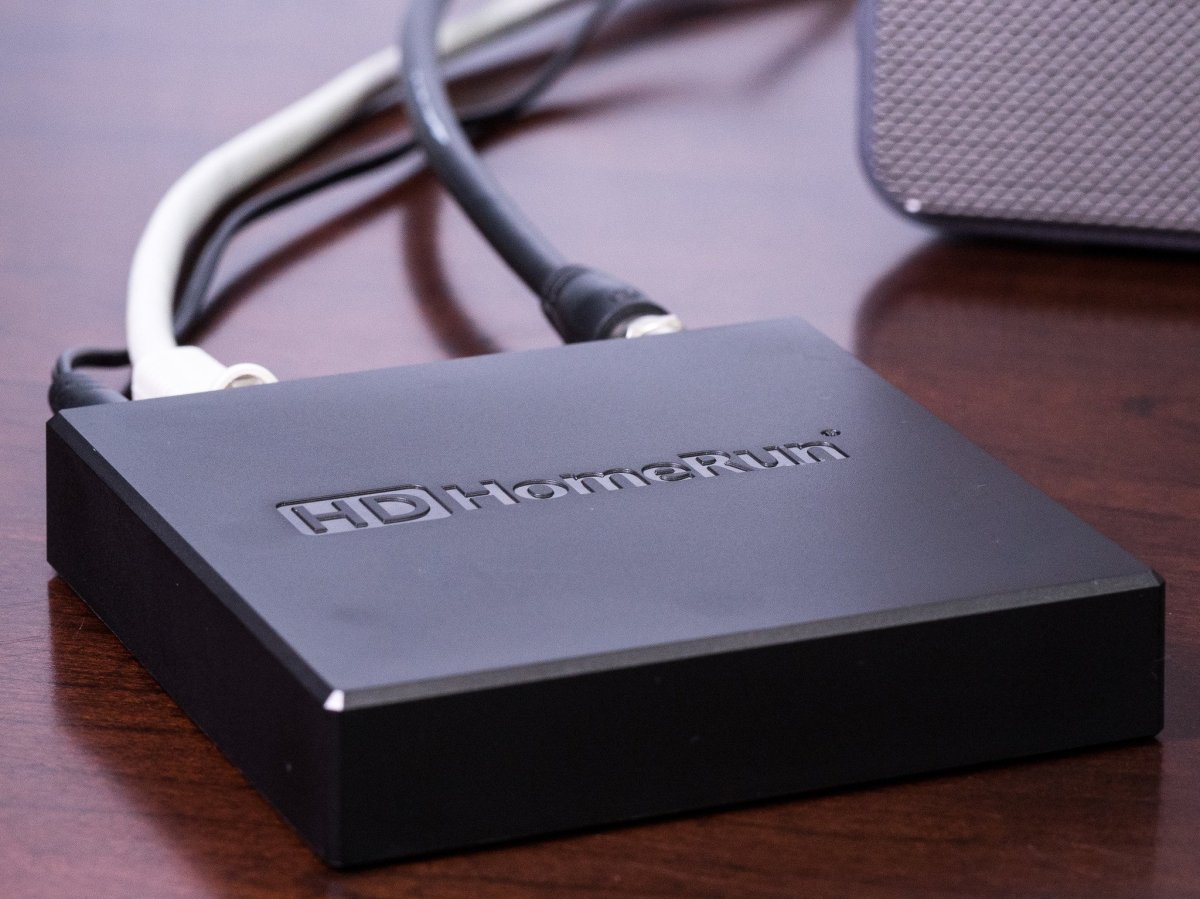
I began looking around for alternatives and moved originally to Elgato Eye TV with an HD Home Run tuner. EyeTV required my Mac to be active to record TV so I began looking for an alternative with a lower energy footprint that did not rely upon my Mac Mini for computational and storage resources. At about this time, Tablo was launching so I made the move to Tablo TV using a 2 channel tuner and a WD 0.5 TB USB disk as a program spool volume.

Tablo TV solved the leave the mini running problem. It also solved the TiVO problem of buying a new box when the disk failed. Tablo’s storage is inexpensive and trivially replaced.

Playback in the old days

Tablo TV development was very much a crawl, walk, run thing. The crawling occurred in the lab but once baby was able to walk, Tablo released product. The original product relies upon an iPad app to view content or forward it to an Apple TV to watch on the big screen. I used the AirPlay mode to watch live or recorded programs on my Panasonic plasma TV. This was not entirely satisfactory so I kept looking around for alternative playback means.

This was serviceable but annoying as the iPad was tied up while watching telly. Tablo App and AirPlay worked well but other ill-behaved apps could bring things to a stop. I’m talking about you, Facebook. At wake-up, Facebook sucks up the entire network connection and processor reestablishing situational awareness following hibernation. After a decade, I’m tiring of Facebook (story for another day).

 Plex to the rescue

A couple of enthusiasts built a Plex server plugin that allowed Plex to retrieve the directory and content from Tablo for streaming to the Plex app on an Apple TV. The Plex Apple TV app communicated with the server to show the catalog and play recordings but live watching was still not possible. Plex has a nice interface for recent recordings that shows the most recent shows captured in reverse chronological order in a manner reminiscent of TiVO.

The plugin presented the Tablo recorded material as a Channel in Plex terminology. A channel is a collection of non-native program material that can be retrieved and transcoded for playback by Plex Media Server. Any supported Plex player can control the channel and present the playback stream. Plex playback worked nicely but the channel is unable to support Tablo library management and schedule management. The iPad Tablo app remained the primary means of managing schedules and deleting recordings.

The New Tablo Apple TV App

Tablo completed its Apple TV 4 app shortly before 2016 WWDC and it landed in the App Store the week after WWDC. Tablo sent a press release to all active customers announcing the new app but I saw their Twitter post about a day before the announcement reached my Email. The release ended a year of App Store searches for the new app. It installed without fuss, found my Tablo, and quickly settled down. The App is easy to use for all Tablo TV tasks including

  • Creating and removing schedules
  • Watching live TV
  • Watching recorded shows
  • Removing watched recordings
  • Removing cruft recordings made on speculation but never watched

The only feature I could wish for that is not there is the recent recordings list from the Plex app. This feature may be a subject of TiVO patents but these should be nearing end of life soon.

The new Tablo App is very stable. No segmentation faults so far. Nice work from Tablo.

Categories
Uncategorized Video

TabloTV Update

A couple of years ago, I wrote about Tablo TV, an off-air DVR product. Since then, TabloTV continues to improve with an Apple TV 4 App in the works (real soon now). TabloTV made firmware updates to support the app but the app is still awaiting release.

Plex

Plex is a OS independent media server that runs on Linux, MacOS, and Windows. The server component is free with the clients a la carte. There is also a subscription option that enables watching content away from home.

Plex has plugins that allow Plex to present foreign content such as Tablo TV recordings and live TV. I’ve started using Plex to watch the evening news and recorded content. The Plex Tablo plugin has a much nicer interface for viewing content than that in the iPad app. The plugin is unable to manage schedules or recordings but it allows AppleTV 4 to play content without AirPlay from an iPad. My iPad is free for ill-behaved apps like Facebook (network hog).

Recommendations

All of this stuff works well enough that I’ve been using Plex for most of my audio and video playback. The Plex Media Server is mature, the Plex ATV plugin is mature, and the iPad client is mature.

Once the TabloTV AppleTV client becomes available, it should be possible to manage recordings and schedules directly from AppleTV. Until then, the Plex TabloTV server plugin will fill the bill.