The Moocher operated his home network with host attached storage for a number of years. Two Drobo storage arrays provide storage for media and serve as a Time Machine spool volume. These machines have served well but are running into age-related limitations. It is time to consider replacing them in the near future.
IXsystems FreeNAS-mini storage array
Revision History
12/28/2016: Add references, revise summary of commercial products, revise home-brew discussion to reflect actual costs after actually adding them up.
The Moocher’s 2009 Mac Mini is too old to run Sierra but is it time for a new computer? It is still doing the jobs I use it to do well so just when is it time to trade? In this article, I’m going to offer my current take on trading.
A few days ago, I wrote about setting up an nVidia Sheild TV set top box and configuring Plex Media Server on it. Now that I’ve had a chance to live with it for a few days, I thought it would be appropriate to share my first impressions of this piece of kit.
nVidia Sheild Android TV Components
Why nVidia Shield?
It runs Plex Server! It’s that simple.
And it is the most expansive walled garden.
And it is hackable with nVidia folk spilling the beans on the nVidia Shield developer forums
It is cheap enough to buy one to experiment on.
It is capable enough to use for other appliance tasks about the Moocher’s cave.
For some time I’ve been wanting to move media serving off of my Mac Mini because the design of the available servers requires the machine to be running and logged in which vastly increases its attack surface. I’d been looking for a number of alternatives, particularly one that was energy efficient, had a low footprint, and would be doing what it was designed to do. nVidia came to the rescue about a year ago with nVidia Shield TV, an Android TV. So I’ve allowed the Android camel into my tent.
Do two things. First, read the fine manual at [1]. Go through the FAQS at [2]. I didn’t include any video links as most are long on talk and low on information density. The links above will take you to the setup screens so you can review them.
You will need internet service. Shield has both WiFi and Ethernet interfaces built in. Both work well. If you have Ethernet available in your media cabinet, wired service works well. Shield just knows what to do. A wired interface speeds firmware updates. WiFi is adequate for media playback.
What’s in the box?
nVidia Shield TV System Components
The base kit consists of a game controller (left) and the Shield machine (right but just the fin part). The nice aluminum base and the nice aluminum Android TV remote are optional extras. The kit also includes a power adapter, HDMI cable, and USB cable for recharging controllers and remotes. And there is a quick start guide and all the warranty and compliance statements.
Yesterday while I was writing my holiday letter, I was also sorting out, or trying to sort out a Win 10 virtual machine that went wobbly. The symptoms were that it was very slow, the start menu had gone missing, Edge had gone missing, etc.
The Moocher uses Win 10 to run ESplanner, a financial planning tool that evaluates your assets and recommends future spending to maintain purchasing power and stretch assets until estate time. This program is currently Windows only and is not friendly in Linux Wine and other simulated environments. Most MacOS users run a copy of Windows in a Parallels virtual machine.
Why Parallels and not Virtual Box
In the past, the Moocher has attempted to run Windows guests in Linux hosted Virtual Box environments. These mostly worked but JSAF development would typically eat the machine with topography database, computation, and network traffic. Virtual Box worked and the price was Navy approved.
But it was not well integrated with the OS. Parallels is. In addition to providing a virtual machine environment, Parallels provides file sharing, cut and paste between environments, and allows MacOS apps to work with Windows documents. The experience is pretty seamless and Parallels carefully designs the VM to integrate with MacOS in a way that keeps Windows in its jail. The only real difficulties I’ve incurred are in doing keyboard spells to cause Windows to start in safe mode, etc. This is not a VM launch option and hand keying of the spell is difficult.
I kept putting off writing the year end newsletter. I couldn’t think of anything to write about. Once I got started, I couldn’t believe how long it had become. Anyway, 2016, that was the year that was.
Milestones
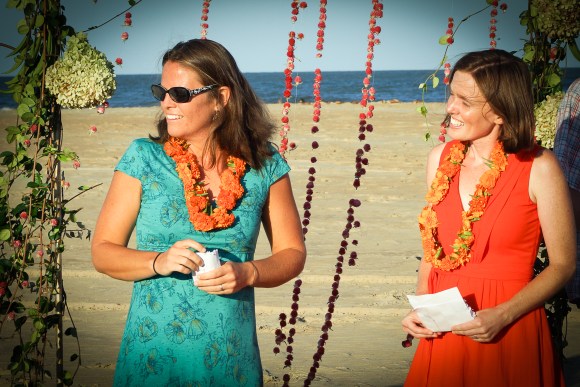
Last summer, niece Alison Kiehl and Sarah married. This summer, they came to the beach to celebrate their union with Alison’s Virginia Beach friends and family. They rented a nice beach house, held a reenactment of their wedding ceremony, and held a reception for family and friends.
Alison and Sarah
Sadly, three friends since high school days, Dar, Elmer, and Fred Kiehl passed away. Fred was a high school classmate overcome by advanced lung cancer. Fred’s parents, Dar and Elmer lived to 88 and 90 respectively. Both were good friends and gracious hosts for summer holiday when I lived up north and were the center of Kiehl extended family life, as much a result of their charm, wit, and patience with offspring as their oceanfront address in Virginia Beach.
We live in interesting times
My countrymen surprised me by electing Donald Trump president. I’m hoping for the best but fearing the worst.
Donald Trump, in his election eve speech, said some hopeful things but I fear his darker nature will keep them from happening.
In my old age, I’m a pragmatist desiring a competent government that works to create a future worth living rather than struggling to prevent futures we fear. In my life, I’ve watched our fear-motivated policies squander so many opportunities to make a better world for all to enjoy.
Around Home
This year’s home projects were all small potatoes. A local contractor replaced the carport columns and front porch rails and my fencing contractor installed the bits I deferred until the carport was repaired. The perimeter fence and carport fence make a nice playground for my greyhounds.
As part of last year’s renovation, a landscaper sodded the side yard, installed paver walks for carport access and wheelie bin storage, and constructed a small bed with flowering shrubs and ground cover at the new porch. This year’s strange weather resulted in a wet fall and spring that caused significant fungus loss in the new sod and the jasmine developed root rot and croaked. I also lost one of the two spreading rosemary plants in that bed. Feeling brave, I planted Encore Azaleas to replace the jasmine that I lost. I’m watching them nervously. A dry October and November followed a hellishly wet August and September. Mild weather is keeping shrubs active longer than normal.
The Dogs
Nick and Missy
Oh no, Mr. Nick!
This was Nick’s year for minor injuries. First, he skinned up his forelegs belly flopping in the hurricane Matthew flooded street. Just recovered from the street encounter, he cut a pad hooning in the garden. Probably while trolling passers-by at the fence with Missy.
Krash Boards
Guest Dog Krash
Life with 3 is interesting. Krash is a perfect gentlemen, about 5 years of age and a year off the track. Krash visited while his mum toured the Biltmore Estate for 2 days. So I had to figure out how to do routine with 3. Three dinners. Walks for 3. Play for 3. The dynamic was interesting. The youngsters played while Nick chaperoned. Every time Missy and Krash began to hoon, Nick would break things up. Finally, I kept Nick in and let the 2 young ones have a go. They played some serious chase tossing a prey stuffy back and forth. After 2 minutes they were spent and settled for the evening.
Krash liked his ration wet with canned food. So I fixed his wet and the resident’s rations dry. Mine turned their noses. up at their dry rations. Finally, I had to feed them all wet and share the canned food for three. I continued feeding my two wet food which completely fixed their fussy eating. A few ounces of warm water and the ration goes down immediately. No picking at it. And Nick cleans his plate. No more food thieving, Missy.
It was really funny watching him the first evening. Judy slipped out to join her trip mates without a visit so Krash was a bit unsettled. He looked for Judy for a while and paced for a while more. After 2 hours of this, he settled until bed time. Come bed time, he had no idea what to do. Who sleeps where? Where do I sleep? Nick took a bed in my bedroom. Missy took a bed in my study. Krash finally settled on the second bed in my room. All made it through the night without issue. Nobody stepped on. Nobody chomped. The second day, you’d think he’d always been here.
Technology Tinkering
Each year stuff wears out and needs change so I keep tinkering with the household technology. This year, I changed the video stuff around to add a Roku set top box, nVidia Shield Android TV, and a Google Chromecast Audio gadget. I also figured out how to get Adobe Lightroom CC to earn its keep.
Roku Premier
Clarkson, Hammond, and May move to Amazon Video after Jeremy slugged one of his assistant producers. Being a fan of the show, I had to change things up to see the new program. Apple and Amazon are competitors as music and book distributors so Amazon keeps its original programs away. No Amazon Video for Apple TV. But Amazon Video is on Android TV (Amazon Fire) and Roku. I bought a Roku box because all the distributors play with Roku. It works decently well but doesn’t have that nice Apple look and feel.
nVidia Shield
I’ve been wanting to move the music serving chores off my Mac Mini so I could log it out when not needed. It looks like I can actually do this. I added MacOS Server to MacOS. This program sets up and administers file sharing and other services present in MacOS. I was able to export my iTunes library and should be able to mount it on an nVidia Shield (coming). nVidia Shield includes a PLEX player and PLEX server as part of the standard software load out. I can also add Kobi to it making it a flexible media player. More on this when it happens in a week or so.
Chromecast
I also have a Google Chromecast Audio device. I use it as an alternative destination for PLEX which has chrome cast built in. Although Google doesn’t make a big deal of it and most reviewers fail to mention it, Chromecast Audio has a TOSlink optical interface built in to the 3.5 MM connector in addition to the normal stereo TRS socket. This lets me pass the pristine bit stream on to my Parasound Halo P5 preamp. It’s a bit fussier to get going than AirPlay but once going, you can’t tell the difference. And the Chromecast puck is all of $35.
Photography
Apple’s tinkering with Photos has pretty much abandoned the hobby photographer. Photos is fine if you take snapshot and want them automatically organized. It is lacking if you want to render them. So, about a year ago, I subscribed to Adobe Lightroom CC which includes Camera Raw and Photoshop CC. This summer, I downloaded Lightroom Mobile and figured out how to set it up. I now have it rigged to post photos from my iPhone and iPad to CC and from there to Lightroom CC. Apple convenient but with Adobe rendering muscle. The images appearing here are all original images
Institute for Learning in Retirement
‘m Communications and Technology committee chair for Institute for Learning in Retirement, a local seniors club. ILR is a life long learning institute affiliated with the Road Scholar network. Other Institute is a similar organization. Both promote senior’s life long learning by running local institutes and Road Scholar offers senior’s “adventure” travel overseas. Outdoor Adventure Travel offers similar programs. Both organizations aim for local culture immersion rather than a posh travel experience.
Back office automation
Last year, the board tasked CTC to find a replacement for our home brew registration system using MS Access and MS Excel. The system was single user and amateur developed (lacking input validation, etc). Our registration workload had grown too large for a single operator to process it in the time available. After a market search, we settled on ProClass, a software as service operation with 1500 clients that included many life long learning clubs like ILR. We’re part way through the transition with both systems operating in parallel. We expect to shift to the new system in 2017 and hope to offer on-line registration later that year.
ILR Website Rebuild
I’m also our webmaster. Our current website is an Open Academy Drupal 7 based site that replaced a legacy MS FrontPage site that was becoming seriously out of date. Our new site uses the Drupal 7 content management system that separates editorial content from presentation much like WordPress does for this blog. The site is relatively easy to maintain with a built-in menu system and document rendering that is responsive to screen size and shape. It automatically does layout for phones, tablets, and desktop displays.
Drupal 8 is replacing Drupal 7. Our Open Academy environment is last in a sequence of open source projects that must be revised for Drupal 8 which picked up many of the capabilities of the middleware packages in Open Academy as built in Drupal 8 capabilities including the page by page paned layout engine. But Drupal 8 does things differently. So it is not a matter of removing the redundant package. The client bits must be rewritten to use the new Drupal 8 native implementations of the capabilities added to the core. This is not happening quickly, and given that small consultancies wrote these modules for their own purposes, it may not happen if the shop’s business has taken a different direction.
For this reason and to expand our volunteer author and editor pools to a size greater than one (me), we’re moving the site to WordPress at our current host later this year. We need a custom hosting service (Pantheon) because the ILR site requires an added module or 2 for things we want to do. WordPress hosting restricts us to pre-packaged versions of WordPress and curated fixed plug-ins. To add an event manager, we need custom hosting. To restrict content by user roles, we need a custom host. So ILR will be staying with Pantheon.
I’m an ILR Presenter
This winter, I gave my first ILR presentation on electric power with an emphasis on the history of electric power, understanding of the utility business characteristics influencing utility decisions, and the challenges posed by renewable generation. It was a bit too much material for 2 hours but nobody threw produce.
And, ILR invited me back. This spring, I’m planning a new presentation on nuclear power. This presentation will focus on the early history of reactors, Alvin Weinberg, and the emerging molten salt reactors with emphasis on their safety and operational advantages over the expedient light water reactor technology in use today.
Those of you who follow me on Facebook and Twitter know that I take a lot of snapshots with my iPhone or iPad and that some of them actually look good. The tools I use with my phone are Apple Photos for quick hacks and Adobe Lightroom CC for more thoughtful work. One problem with this arrangement was that I had to manually manage two photo archives, one in Photos and one in Lightroom. Recently, I learned how to get my Lightroom environment to behave like an Apple Photos environment. That’s what this article is about.
References
This article is summarizes information from two references that I used to get my environment initialized. Reference 1 gives much more detailed descriptions of the process than this CLiff’s Note does.
In writing this article, I have the following kit. Other phones and cameras capable of running Lightroom Mobile work equally well.
An Adobe Creative Cloud photography subscription for $10/month
An Apple iPhone 6+
An Apple iPad Pro 13 inch
Adobe Lightroom mobile on both.
It is also a good idea to install Camera Raw, especially if you have a real camera (one you look through to compose images). And now for iPhone and iPad which make Apple raw format available.
The next two sections describe some configuration preliminaries in Lightroom and Lightroom Mobile. The secret sauce is to subscribe to Creative Cloud and log the devices in. Then create a CC collection for each device that will automatically receive new photos taken by the device’s camera. This happens in the camera itself and is independent of the GUI used to operate the camera. Photos taken with either the Apple Camera UI and the Lightroom Mobile camera UI will be queued and saved to Creative Cloud.
Setting up Lightroom Creative Cloud
I have a monthly subscription to Photoshop Creative Cloud. This subscription allows me to use Photoshop and Photoshop Lightroom, and Creative Cloud. Creative Cloud is Adobe’s network storage environment that allows devices to share a library of image assets across hardware platforms. The basic subscription includes enough storage to get started. As your collection grows, you can add more storage.
Once you have purchased your subscription, follow Adobe’s instructions for installing Photoshop Lightroom. Go to the preferences menu and enable Lightroom Mobile.
Setting up Lightroom Mobile
Install Lightroom Mobile on your phone or table using the platform preferred source: for Apple iThings, the App Store and for Android things, the Google Play store. Android people, remember that it is a dangerous world out there, Play Store only.
Once through the initial screens you will enable creative cloud.
Tap the LR logo to bring up the dialog
Set Sync only over WiFi as you desire (recommended)
Set Auto Add Photos to on
Set Auto Add Videos to on
Set Collect Usage Data as you desire
Once these settings have been made, create an auto add collection for the device.
Open the organize view
Tap + to open the Create Collection dialog
Create and name a collection.
Once the collection is present, tap the collection’s … icon to open its settings form
Enable auto add
Work Flow
My two collections are iPhone photos and iPad photos. Both collections appear in Lightroom Mobile on my iPhone and my iPad and in desktop Lightroom CC. Lightroom CC groups them under Collection From Lr Mobile.
Take photos with the Apple camera
Open Lr Mobile and let it sit. It will import new photos from the camera roll and push them to your CC account.
Open Lr and let it sit. After a bit, it will sync with your CC account.
Edit your new work in the normal Lightroom CC way.
After a bit, your edited images will appear on your devices.
Creative Cloud App
Adobe Creative Cloud also includes a manager program that provides the following services.
Checks for and alerts you to updates
Shows which programs your subscription allows you to use
Lets you monitor your storage usage
Lets you maintain your CC credentials.
Adobe has designed CC app to launch at log in and periodically do its checks. It has a status bar widget that lets you wake it from standby to install updates or download additional products from your entitlement when you find a need for them or to try additional Creative Cloud products. The trial collection gives you access to all of the video and still image tools, prepress tools, and web tools.
The Catch
The $10/month plan entitles you to 2 GB of online storage. Reference 1 explains how the 2 GB is used as follows
Adobe’s Creative Cloud includes just 2 GB of storage with the Photography plan for $9.99 per month, but there’s a twist: that 2 GB is dedicated to storing files in Creative Cloud that are shared with other CC applications. Photos you sync via Lightroom mobile do not count against your CC storage allotment, because they’re stored as much smaller DNG files and therefore don’t take up as much space; I’m guessing the amount is negligible to Adobe. However, keep in mind that you need to pay for a Creative Cloud subscription simply to use Lightroom mobile in the first place.
Followers may recall that the moocher began dieting and resumed strength training last winter. From time to time, I’ve written about the moocher’s progress or lack there of. There’s bad news and good. I fell off the lifting wagon this summer when yard work, club work, and doctors appointments started cutting into exercise time. The good news is that I’ve kept tinkering with the diet and it is now working.
Back in January, I began to track my weight and macros using the Under Armor Fitness Buddy app. Using Muscles for Life as a guide, I picked a calorie target and a protein target and began to actively manage my diet. Since I follow a mostly plant based home cooked diet, I was doing a lot of recipe macros calculations.
For a number of reasons, mostly annoying social network features and continual pestering to make in-app purchases that added no value to me, I chucked the UA app for another, My Macros+ which is considerably less intrusive.
I’m still targeting 1800 calories with 100 grams protein. And about there. I thought I was there back in March but weight was yo-yoing. I discovered that trying to stay plant-based with a little Mitica Parmesan cheese for additional protein, I was way below my protein target of 100 grams per day. I picked this figure above the WHO daily level but below growing-athlete targets of 2 gm per kilo of body weight. I needed to add protein while keeping calories about where they were. This is actually a pretty tight box. Adding something requires removing something less valuable to the macros balance.
Tweaks
It was clearly time to start tweaking the diet to establish weight loss.
My original plant-based diet was leaving me with the munchies. I’d nick some extra cheese or some of the dogs’ pilling peanut butter 2 or 3 times in the evening. This was probably enough to throw the diet into surplus as weight was fluctuating and creeping upward.
Tuna sandwiches for lunch. Tuna is supposedly high in protein but low in fat. Couldn’t get enough additional protein in the diet. I kept missing my macros by about 30 grams of protein. And having mid-afternoon munchies.
Protein shake for lunch. The next change was to start making a protein shake for lunch using vanilla protein powder, frozen mixed berries, and low fat yogurt. The result was tasty, sweet, and filling but weight was creeping up. These turned out to be high calorie with or without yogurt or using plain yogurt. Time for plan C.
Fruit, cheese, vegetable juice, and protein shake for lunch. The shake route was putting me over on calories and macros were better but still low on protein. I basically needed to add more protein and remove some carbohydrates. Sugar was hitch-hiking in the protein products I had been using.
Matt Does Fitness to the Rescue
Matt Morsia, world class 100 kilo power lifter, came to the rescue about 2 months ago. Matt posts twice weekly episodes to his YouTube video log about his training and life as Matt in general. After European Championships (Matt made the podium), Matt began a hypertrophy phase whilst his spouse’s pregnancy came to term. Following the blessed event Matt, Saris, and mini-Matt are going to take a break from training to figure out the Married with Children thing.
Matt is a My Protein endorsing athlete and describes his use of My Protein products in his training. Matt’s Krell furnace metabolism requires careful feeding. Matt has the problem of eating enough to maintain weight and strength, the opposite of my challenge, finding a diet that lets me loose weight and recomp my Jabba the Hut-like physique.
Running low on protein, I decided to give My Protein Whey a try. I ditched the smoothie lunch for fruit, cheese, Whole Foods Vital Vegetable Juice, and a My Protein whey milk shake. I added a second evening shake as a snack about 1 1/2 hours after meal time.
My Protein Whey, unlike the sugar sweetened products I had been buying in the shops, is sweetened with Sucralose. So the calories in the product are from the whey protein without a similar amount of sugar calories tagging along. This change let me get the protein up to my goal while meeting my calorie target, and slaying the evening munchies.
To my pleasant surprise, my weight started drifting downward about 1/2 kilo a week which was my goal. I’m about 2 kilos below my sticking point and the loss appears sustainable.
Low Sodium Vegetable Juice
Remembering something I’d read in a atherosclerosis self-help book, I began having low sodium vegetable juice as part of lunch. Whole Foods Vital Vegetable is perhaps the best of these. Think Campbell’s V-8 but with an attitude. Whole Foods puts a goodly amount of lemon juice in its vegetable juice. And uses potassium chloride as part of the salt, a common tactic to keep a product salty with low sodium. Whole Foods doesn’t market its juice as low sodium, it just is. Potassium and sodium work together in the body. A little added potassium helps the body to regulate fluid balance. Adding the Vital Veggie to my diet helps with lower leg fluid retention and water related weight fluctuation.
Magnesium Supplement
Calcium and magnesium are the other electrolyte pair that needs to be in balance. I’ve started taking a 250 MG magnesium supplement off the self at Target. This supplement contains calcium in ratio. I’ve not seen an observable effect from this change. The afore-mentioned self-help book indicates that it helps with blood vessel function and should reduce blood pressure a bit. This hasn’t really been observable amid the other noise affecting blood pressure tracking.
My Evil Scale
I finally figured out how to get my Chinese scale to tell me a useful weight rather than making a random number.
Move the scale to the bathroom tile floor
Weigh once. Throw first weight away
Weigh again. This one will be about a kilo less than the first
Weigh a couple more times to confirm that the feet and frame have settled.
Keep the final weight.
More about Matt
At his YouTube channel, Matt chronicles his career as an adult competitive athlete. In his mis-spent youth, Matt was a willowy jumpy thing who competed in the long jump and triple jump during Uni and with his local athletic club. A lower back injury sidelined a restless Matt for several months.
Following his recovery, Matt began lifting seriously and discovered that he was actually good at it. World class good. Matt now competes as a raw with wraps power lifter in UK and European events and most recently took a platform position in the WPC European championships this June. Matt has the right mix of genetics, interest, knowledge and attitude to be a genuinely good power lifter.
Matt’s YouTube channel is more about a day in the life of a “bullet headed anglo-saxon mother’s son” than it is about lifting. Matt, with a mix of British irony, sarcasm, and silliness shows how he balances family, work, and sport. Matt shows the value of experimentation. When training isn’t working, change up routine to find a workable training regime. Keep tinkering with intensity and volume to maintain progress.
The other thing I like about Matt is that, when he has a rubbish day, he shows it and gives a candid assessment of what went wrong and how to fix it. If form is going to rubbish, he’ll describe the problem and take a de-load to recover form and resume progress. And admit that he did.
Last weekend, I attempted to apply a firmware update to my Sony Alpha SLT-65V interchangeable lens camera. I’m not sure why. I saw that there was an update available and thought I’d apply it. In the past I’d had greyhound legs splinch when filming with the Sony so I used the iPhone 6+ to take most of my hound video. My hope was that I could do more every day snapshots and greyhound video with the updated firmware.
One evening, I decided to photo some clouds. A thunderhead to the south was looking menacing as it drove by. I grabbled the Sony, put it in manual, and cranked the exposure down by fiddling with the shutter speed and ISO. This brought out some texture in the clouds. I took the captures in to spool them off. For some reason, I checked Google to see if there were firmware updates outstanding.
There were so I had a go and the go went wrong. The little red activity light came on and stayed on. Bad joss. The firmware updater instructions told me I was now proud owner of a brick. I took the battery out of the camera and put it on to charge while looking for salvation. A little poking around had tales about older cameras reacting badly to the 64-bit Mac firmware updater. At this point, I believed the camera was destined to remain a paper weight.
But, mid-week, I came back to the Sony USA support portal, hopped on chat, and explained my tale of self-inflicted woe. Sony said not to worry, there was a fair chance they could help me revive the camera. Apparently the camera’s firmware loader is active when the red light was on. Although, there were no instructions for a second go in my camera’s state, the firmware updater was designed to be able to take it from the top if the load was interrupted. The process involved a slightly different sequence of starting the camera, connecting to the firmware updater, letting the two hook up, and retrying the update. This time, the firmware loader ran correctly and my brick turned into a camera.
As you know, I’m a Mac, not a PC but recently, an Ars article about Microsoft Visual Studio Code caught my eye. I dropped by the Visual Studio Code website and downloaded a copy. Much to my amazement, I like it.
My work mates know that Emacs is my idea of an integrated development environment. But Mac Emacs ports are clunky. You either have to bring over all the MacPorts goodness or do with one of several adaptations of Emacs to the Mac Aqua UI toolkit. Making the switch between Linux genuine Emacs and Mac Emacs never worked for me.
Every time I tried to get started with Xcode, it was always too much trouble for some quick scripting or most anything else. Xcode really wanted to make Mac OS or IOS graphical applications in the genuine Mac way. Anything else was just too hard to figure out
So I was pleased to see that there was an alternative IDE that was not heavyweight like Xcode or Eclipse (Java — exploit rich Java). So I downloaded Visual Studio Code to give it a try.
Why would a moocher want VS Code?
I’m ODU Institute for Learning in Retirement (a Tidewater VA senior’s club) communications and technology committee chairman. Steady growth of the club over 25 years has forced us to replace our legacy single user office automation (Access homebrew DB app) with a multi-user online professional service.
In making this switch, we have to import 600+ member records from our legacy system into our objective system. The mechanism for doing this is to transfer the data to a MS Excel workbook that our vendor will subject to some script foo to cause our data to appear in our corner of his system.
The easiest way to do the transfer was to create a view containing the records we needed to move, sort the view to make record addition easy, and export the view to a CSV file that we could open in Excel. The trick was that the new system had accounts with contacts, field names changed, some fields like phone numbers had to be correctly formatted and the area code added, etc. So somebody needed to write a record swabbing script. That somebody was the CTC chair since staff couldn’t do it and I was the only programmer volunteer in the club.
Initial Experiences
VS Code downloaded without fuss and runs without fuss. It appears identical in both Windows 10 and Mac OS X. My time is in Mac OS X since I have the Xcode environment in place, git is there, python 2.7 is there and everything is ready to go.
In the past, IDE’s have been too heavy weight to use in a project of this nature. I’d always made do with Emacs, GDB, and Make. This is the first time I’ve successfully used an IDE for a simple scripting project. It’s also my first Mac Python project but the experience is very much like working with the language n Linux Emacs using PDB in an Emacs shell window. Very comfortable to old moochers.
Getting Started on a New Project
Most reviews, tutorials, etc assume that you will be checking out from an existing repository, making a task branch, making some mods, testing, and merging your task branch back into the sprint branch. I was starting with blank disk space so a little preliminary spell-casting was needed.
Create the project directory
Create a git repository root in the project directory
Start VS code and open the repository root
Add your code file
Add code
Test, edit, test, until you feel you have something worth committing.
Commit.
Resume work.
Language Support
VS Code requires extensions to become smart about the language (syntax coloring, library functions, compilers and interpreters, running, debuggers and debugging, etc. A built in view makes it easy to locate the modules you need and load them. MS offers a number of contributed Python environments. Each has a peer rating, description, capabilities description etc. It is generally pretty easy to pick the extensions you need. If you are working in a Mac OS compiled environment, you’ll need a debugger interface for either GDB or the LLVM debugger in addition to the language extensions.
Once you’ve loaded all of the needed extensions, restarting VS Code makes them available.
Running Python
So far, I’ve done all my running in the debugger. One oversight of the Python module is that it does not provide a natural way of passing start options to a program. Instead, one creates a running environment by writing some JSON code in a specified format. If you’re not JSON literate, what’s needed is not intuitive. I ended up hard coding the input and output file names in main() to avoid the need to mess with this environment file.
The Visual Debugger
The visual debugger is typical of the breed. It has a code pane, a shell output pane, and to the left, panes for the call stack, watchpoints, active local variables, and function parameters. These last two show the current values of the data passed in the call frame and the locals in the current stack frame. Expanders open structured values to allow inspection of structure members or class attributes.
The code window shows where execution stopped. The left margin has line hot spots used to insert breakpoints. When stopped, mouse hover over a local causes the value to appear in a popup overlay. A button bar at the top of the debugging pane contains a left run button for starting the build/run cycle. A second run button starts execution. Additional buttons step into, step out of, and step to next line. A pause button stops a long running program. A stop button terminates the run. All pretty standard stuff. Button icons are clear but tool tips back up the glyphs on the buttons.
Build Model
I’m not clear on the build model. I believe adding a code file adds it to the build. My only experience so far is with 300 lines of Python in a single file.
Source Code Control
VS Code provides a git view that shows the source directory structure, each file in the directory (as filtered by .gitignore), and the clean/dirty status of the file. A badge shows the number of dirty files in the directory. Controls let you add and remove files from the commit list and make the commit. A text pane provides a place for the check in message. I’ve not had to revert to a prior version so I can’t comment on the tools for doing so. If a file has not been commited, it can easily be reverted to the most recent commit. I’ve yet to have to revert a committed change.






You must be logged in to post a comment.