
Introduction
After many years of watching Apple computer trends, I realized that I had to prepare for the time when my data was bigger than the storage I could fit into something from Apple. So I home-brewed a NAS using FreeNAS (now TrueNAS Community Edition) to store photos, video clips, and music. And the odd movie. After 8 years of faithful service that included several disk replacements, a motherboard failure forced replacement of Sherman, my OG NAS and home lab host. After the break, plans for Sherman’s successor.
Revisions
This post is a rush reflecting preliminary plans for an upgrade of the Dismal HomeLab following a hardware casualty. I expect that this article will be revised to reflect actual bloody knuckles experience with 45HomeLab and Houston UI. Stay tuned.
- 2025-02-14 Original
References
- Jeff Craft 45HomeLab HL-8 sponsored review
- Jeff Geerling on AMD NASes and 45HomeLab Enclosures
- Level1techs on the importance of case selection
- 45HomeLab Store Catalog
- Rocky Linux Home Page
- 45Drives Houston UI Introduction Blog Post
- 45HomeLab HL4 Product Manual
- Portainer Project
2017 Lab one
I built the original home-brew Sherman in a Fractal Node 804 case having positions for six 3.5 inch drives. This case is spacious and suited a spectrum of use cases including DIY NAS.
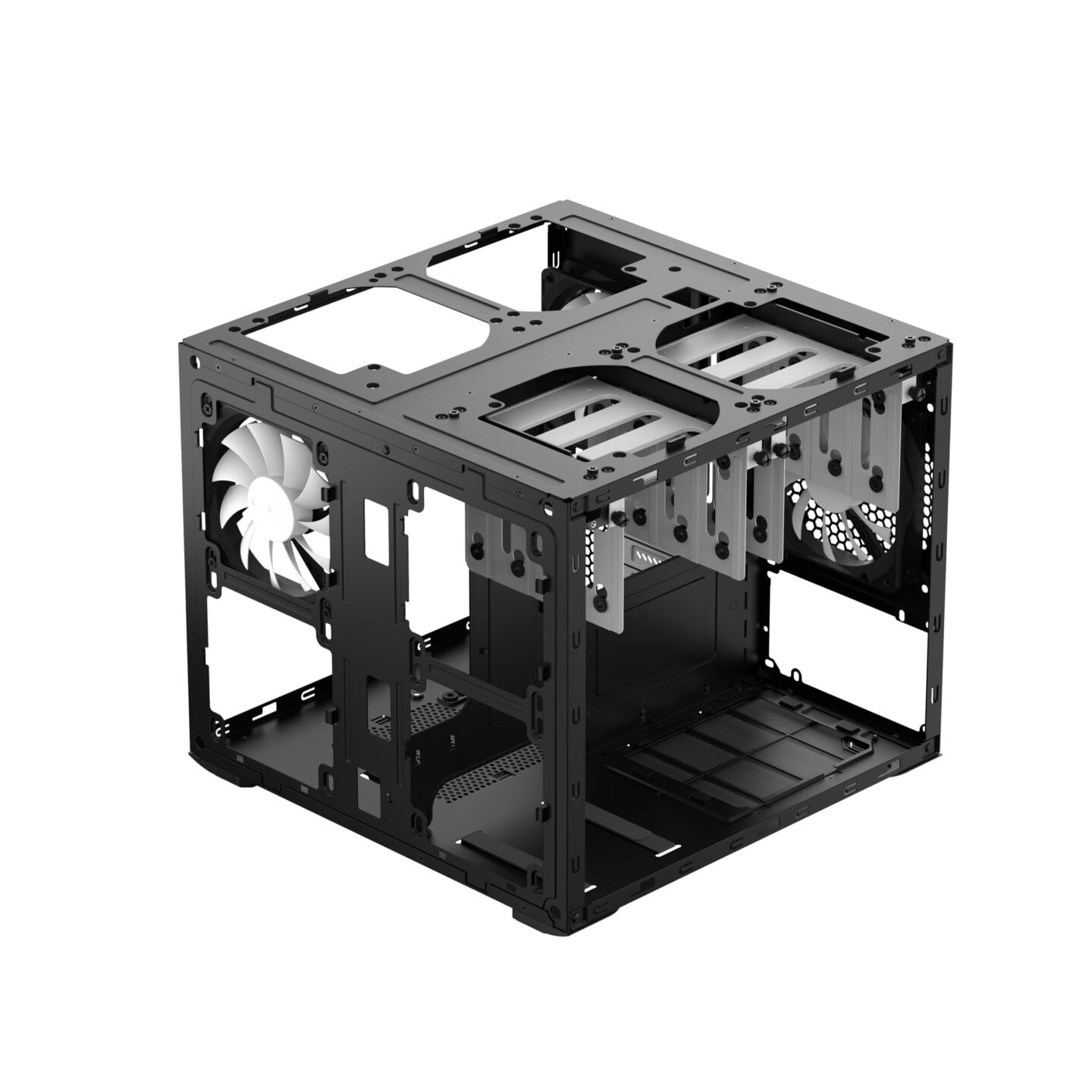
In practice, I found disk replacement tedious. In this case, TrueNAS was unaware of the case geometry. It could tell me the serial number of a failed drive but not where in the case it was. So each drive replacement was a serial search of the six slots to find the one holding the failed serial number.
This is a solid case good for a future build, possibly by someone else.
2021, Backup Server
For four years, I had been running the OG NAS without backing it up. When the pandemic set in, I began to have second thoughts. In 2021, I purchased a TrueNAS Mini+ rather than building another home brew. At the time, the BitCoin craze was on and US parts inventory was tight. And gamer-oriented parts pickers ignored ECC memory.
Try as I might, I couldn’t put together a new parts bill of materials for a home-brew TrueNAS server for less money than a built Mini-Plus would cost. So I did the obvious and ordered a Mini from the good folks at iX Systems (Dune). Ixian sorcery works pretty good! And SuperMicro’s supply chains are in Taiwan!
I set up the Mini+ as a new server. I configured it to replicate to my OG server. They needed names, Peabody and Sherman of course from Rocky, Bullwinkle, and Friends. Once replication was sorted, the pair worked well.
I have since had to tend to drives in the Peabody Mini+ system. It reports the drive failure. Look at the case view and it shows you which slot holds the failed drive. Take the sled out, mount a replacement drive, put the sled in, start the array rebuild and give thanks to Shai Hulud (Dune). It was a much easier and less risky evolution than rooting around in the Fractal Node 804 for the failed drive.
2025, Sherman won’t boot
In February, I received notification that Sherman was logging disk errors on 2 disks. So I ordered two spares. Since I had 2 spares in inventory, I planned to replace the failed drives on Monday. I get up and try to log in to Sherman to determine the failed drive. Sherman was stone cold dead.
Some investigation revealed that the power supply worked but the machine was not able to POST or boot, or even show snow crash video. This suggests that one or more of the on-board power regulators had failed. That’s a fatal error.
Sherman 2 TrueNAS Mini+
So what should Sherman 2.0 be? Another Mini+, obviously. So I ordered one. With 2 disks coming and 2 on hand, I just needed a diskless machine that I would fill myself.
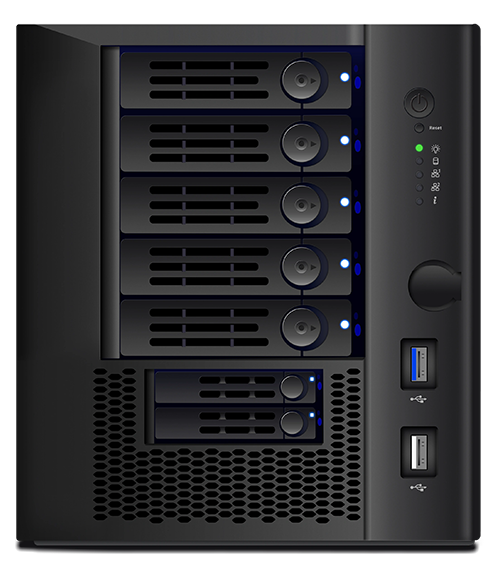
Image courtesy of iXsystems
Then I saw a Jeff Geerling video and a Jeff Craft video about this upstart company in Canada that makes servers for BackBlaze. They had started a home lab product line in new subsidiary 45HomeLab.
45 HomeLab HL-4
Sherman 2 as a Mini+ wouldn’t have the muscle for video transcoding. It has minimal graphics for a text console. No complex rendering needed. So I needed something to take over play applications.
45-Drives in Nova Scotia invited a number of YouTubers up for show and tell followed by a focus group to suss out Home Lab preferences. The 45HomeLab division and HL-999 series of servers followed from this gathering. The focus group recommendations pretty much reflected my home lab system desires.
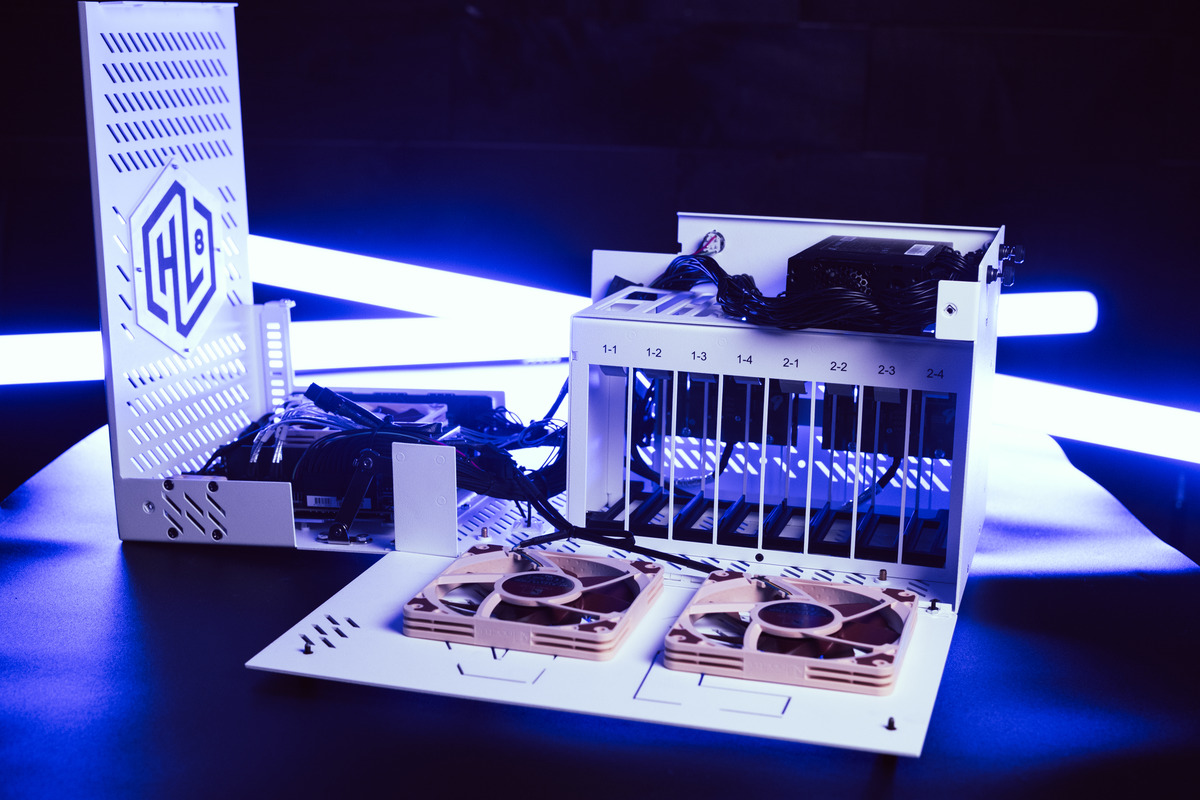
Image courtesy of 45HomeLab
- Enclosures endure. A stout, properly sized accessible enclosure will host several systems over its service life.
- I wanted 4 hot swap accessible storage bays. This is enough for a RAIDZ2 storage array. RAID is not backup but it is disk failure resistant.
- I wanted a AMD Ryzen based system as AMD Ryzen supports ECC memory and AMD processors are the current value leaders. The HL-4 build included a Gigabyte Aorus B550i main board that supported Zen architecture, AM4 socket, and ECC.
- I wanted a G-series processor rather than a pretentious video card. I’m not a gamer but I did want good OpenCL support and transcoding support. 45HomeLab offered AMD Ryzen7 5700G APU option.
- ECC provided! Jeff Craft, in his review, mentioned that HL-series memory was ECC. His idea and preaching at focus group.
- Salvage Sherman’s disks. This saves money. And I had a growing pile of good but too-small disks that could be repurposed.
The 45HomeLab HL-4 ticked all those boxes. 45HomeLab also offers 8 and 16 drive versions of this enclosure.
45HomeLab offered these ready to go and in several bare bones variants including just the case, case plus power supply, and case plus power supply, and an assembled system ready for your own storage. And of course they would sell you disks if needed. And host bus adapters and the proper cables!
45HomeLab Software
The included operating system is Rocky OS Linux, CentOS successor, what could go wrong? We like Rockies around here.
What could go wrong? Not a gorydamn (Red Rising) thing!
It had all the drivers. It had all the packages including OpenZFS, Ceph cluster file system, Cockpit, etc.
45HomeLab is definitely aiming at a dual role product that is both a storage server (NAS) and an application server. This duality of purpose is at the heart of home lab systems.
ZFS in a home lab system makes oops recovery easy. Make a snapshot. Try something. If it blows chunks, revert to the snapshot. Easy, peasy.
iX Systems makes a nice NAS that the home user community has coaxed into the application server role but a standards based NAS is the ix Systems mission.
45Drives is also a standards based NAS vendor but spawned 45HomeLab when they saw increasing personal orders of the smaller configurations. And they planned for the application server role from the git-go in the new division. In this rush post, I’ll introduce how 45HomeLab approaches the dual roles of the home lab system. At some point, I’ll expand this post or add one with my onboarding experience.
The choice between the two comes down to the hardware. The iX Systems Mini family is kitted out to be a file server. Application service is not really this product’s mission. It’s a SOHO NAS and a good one with a refined UI developed over 7+ years that I’ve been a FreeNAS/TrueNAS user.
The 45HomeLab system is conceived from the beginning to be a compact storage and application server. The hardware is the difference. The choice of an AMD Zen4 APU with ECC support is a key choice but Cockpit, Houston UI, and Portainer make the difference. The horses are there for application service. Houston UI support for Portainer configuration of containers and container management completes the kit.
Houston UI
45Drives specializes in turn-key and bare bones servers. They compete with everybody. Dell, HP, IBM, you name ’em. They needed management support parity. And they needed it open source because that’s how they roll. So they extended Cockpit by adding ZFS, clustering, and hardware mapping to Cockpit forming a package they call Houston (mission control?). Because they built on Cockpit, the build out was quicker and smoother than the iX Systems path from FreeBSD to FreeNAS to TrueNAS. (My first experiences were with FreeNAS 9. Lots of bloody knuckles in the beginning.)
So both TrueNAS and 45HomeLab systems use ZFS. Both can do replication. So I have a spare replication recipient should I need one.
Mixing TrueNAS and 45Drives Kit
Replication is a composition of several capabilities but at its heart is the replication transfer protocol. Like any good protocol, replication sends data in network canonical form and lets the recipient convert it to its native format. So AMD64 and SPARC, for example, can exchange ZFS data by replication. AMD64 is little-endian. SPARC is big-endian. They exchange network canonical form representations of the objects being replicated.
Portainer
The 45HomeLab software includes the Portainer container management system. This environment can create and manage Docker, Kubernetes, and PodMan, and other popular containers. I’m not yet familiar with Portainer but it is offered in three baselines differentiated by the number of nodes allowed in a cluster and multi-cluster support. The evaluation version supports 3 nodes in one cluster. In addition, there are 2 paid versions licensed for larger cluster node counts and cluster counts. The 3 node evaluation version ships with 45HomeLabs kit.
Portainer closes an important gap in iX Systems TrueNAS Community Edition. Community Edition can run Docker apps from a small curated library kept by iX Systems. Adding additional apps was possible but usually required a full VM rather than a container. This made apps heavy-weight on TrueNAS.
The 45HomeLab system manuals have detailed instructions for using Portainer to set up popular home lab applications such as
- Plex Media Server
- Immich phone data backup
- Several digital asset managers
- NextCloud
With a little study, the 45HomeLab provided procedures can be used as models for provisioning additional container distributed applications.
Roll Out missions
The new home lab host will run Plex Media server. I don’t watch a lot of TV but what I do watch is interrupted. So I never watch live, always time-shifted and off the air. Plex Media Server has this mission.
As I was reading the 45HomeLab hardware manual, I discovered that the boffins had been thinking hard about which applications to support. They picked Immich aimed at phone photo (and other data) preservation. They included a couple of digital asset managers. I’m not familiar with these but digital assets are said to include photos, recordings, videos, and digital works of other sorts needing cataloging and protection. I expect I’ll take one of these for a test drive.
As Sherman 2’s disk pool is big (32 TB), it can back up the home lab’s pool in addition to Mac TimeMachine duties and backup of Peabody. These are all datasets in the Replicas slice of the main pool. So Sherman 2 will have pool partitions for
- Arq Backup of Fruit Machine (British submarine force slang for their fire control system).
- TimeMachine spool volume
- ZFS Replicas slice for Peabody backups and home lab backups

 Dismal Manor Dispatches
You must be logged in to post a comment.