
Dismal Manor has been an OOMA Telo subscriber since the late naughts. OOMA began as an alternative residential carrier offering VoIP service to homes having fast Internet service. With the rising generation ignoring home phone service, OOMA has changed focus to small businesses.
While we weren’t looking, Ubiquity UniFi Talk has matured into a substantial product with residence and small business friendly tariffs. The Wizard took a look and liked what he saw. He decided to switch home telephone carriers form OOMA to Ubiquity.
This post introduces the reader to UniFi Talk product and Talk home deployment planning. This post emphasizes the benefits of using Talk and the resources needed to deploy Talk including rough order of magnitude costs for additional equipment and for a router update deployment.
Revisions
- 2025-01-10 Original
References
- UniFi Talk URL
- MacTelecom 2024 UniFi Talk video
- UniFi Touch phone product page
- UniFi CloudKey Ultra product page
- Ubiquity UniFi shop URL
- Ubiquity UniFi.ui.com URL
- Ubiquity UniFi Mobile Apps URL
- Ubiquity’s VoIP Carrier Twilio
- UniFi Nerds Consulting and Blog
Introducing UniFi Talk
Ubiquity supplies software defined networking equipment to indivduals, businesses, and value added resellers. Software defined telephone systems use an expert system user interface to configure the telephone system for a specific site and application. The user interface handles handles all of the configuration mechanics.
UniFi Talk is Ubiquity’s VoIP managed voice service offering. Ubiquity has designed Talk to scale from a single number to thousands of numbers and stations. Ubiquity contracts with Twilio [8] to do the telephony stuff on its behalf. Ubiquity provides customer service, telephones, and subscriber system hardware and software, etc. Twilio handles VoIP mechanics, peering with terrestrial and mobile carriers, caller ID resolution, and other hard VoIPy stuff.
The Talk application’s configuration editor translates between the engineer’s choices and the underlying system configuration.
- It handles all the details of configuring UniFi Talk to use Ubiquity’s Talk VoIP service.
- It also handles the details of provisioning telephone numbers,
- It configures telephone instruments (shout out to Lilly Tomlin),
- It assigns users to call groups,
- It configures the the auto-attendant choices and actions,
- It configures voicemail and voicemail transcription, etc.
- Its block diagram editor configures each auto-attendant caller choice and the corresponding action taken.
Who is UniFi Talk For?
UniFi Talk has the most-used residential and business features, high voice quality, high reliability, and on-site switching equipment (UniFi Talk application on the local UniFi Console). UniTalk pricing is comparable with other public switched telephone system services and with most mobile services.
UniFi Talk’s killer app is reliable domestic telephone service with accurate 911 display of the service address. UniFi Talk call clarity is unmatched making Talk excellent for local and long distance calling. The new service appears to have less cross-talk than when calling long distance to Bell South PTSN residences. Local VoIP calls are cross-talk free.
The subscriber may be an individual or a corporate entity (has an EIN tax number). Deployment in small single line residences is uncommon but Talk is ideal for larger homes where several numbers are desired and a few to many internal calling stations are desired for interior communications.
UniFi Talk is also ideal when multiple offspring call their best friends in the evening. A single number can support any number of simultaneous incoming and outgoing calls without the need for additional roll-over capacity. $25/month supports any number of teens and tweens. After supper friend calling may be a thing of the past in the mobile age but Talk can handle it.
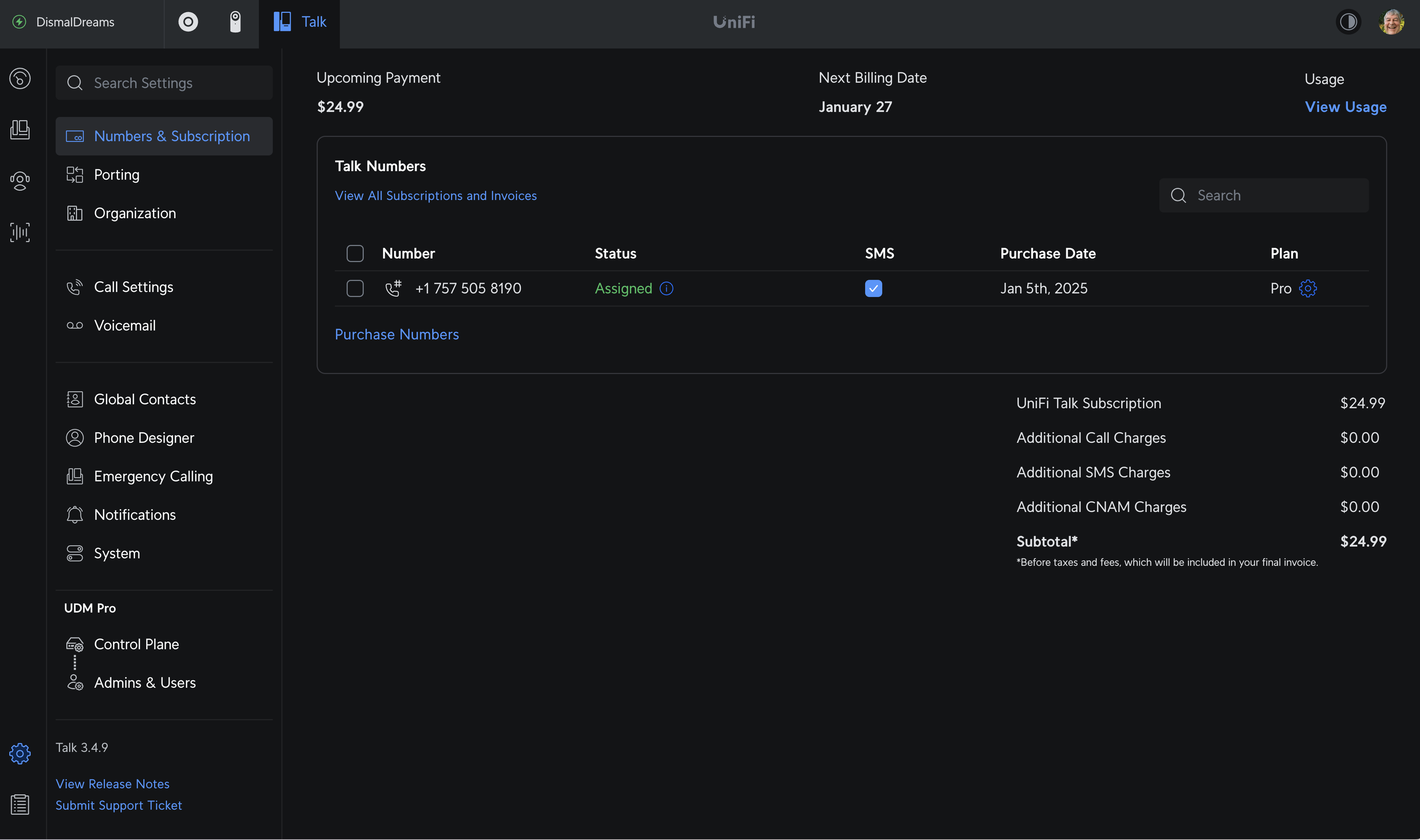
Ubiquity, partnering with Twilio, arranges for wide area carriage and call interchange with the public switched telephone network. Local and international calling are supported. Within the US, Ubiquity offers measured service (minutes) on Plan Plus or unlimited service on Plan Pro. Plan Plus measured service is $10/month. Plan Pro unlimited service is $25/month. I’ll describe these further down.
Talk supports voice and video conferencing. I’ve not tried this but it is a Plan Pro feature.
Post Scope
In this post I will present the following topics
- Prerequisites to deploy UniFi Talk, including UniFi account, UniFi console hardware, etc.
- What you need to add to your current network kit to deploy UniFi Talk.
- Where you may obtain UniFi equipment.
- The basics of DIY installation giving an overview of the key steps but not a step by step fill in the blanks procedure.
- SoftPhone installation on a mobile and setup
- Calling groups and auto-attendant
- Network services companies that can perform a deployment for you should you prefer pro installation over DIY.
- Key references that will assist you with hardware purchases and deployment.
Ubiquity has carefully designed Talk and its Touch telephones to conform to normal business telephone behavior and operation.
Prerequisites
UniFi Talk has been designed to be easy to acquire and deploy. A Talk deployment requires the following.
- A credit card to bill
- A free UniFi remote management console account
- High speed Internet Service (cable, fiber, or StarLink)
- A UniFi Console (Cloud Key or better)
- A local system to display the UniFi Talk management pages
- A local UniFi Talk terminal (phone).
- An optional mobile phone (Android or Apple) with the UniFI Console app installed.
Basically, you open a UI.com account, order a UniFI Touch phone and a console if needed. When your equipment comes, you follow the instructions in the getting started guides to connect, adopt, update, and configure devices for service. Start with the console, then move on to the telephone. UniFi Console app is the easiest way to do this as it uses Bluetooth to discover the new UniFi devices. Once adopted, then you log in to unifi.ui.com to add the talk service doing the commercial bits first, then the technical bits.
A “locked” large screen Touch Max desk set is about $130 from UniFi. If you don’t have a working UniFi deployment, the console is about $200 for a CloudKey Gateway Max (router but no WiFi) or a UniFi Express console that includes a router and WiFi in addition to the console.
If you already have a UniFi console, most recent consoles can support Network, Talk, Protect video, and Access concurrently. An updated console may not be needed.
Console purchase includes the necessary application product licenses. Desk sets are sold as “locked” (bound to a number) and “unlocked” for use in internal call groups. A locked station always has a direct inward dial number assigned. An unlocked station inherits its group’s number for offsite call origination and reception.
Shopping
Your carrier’s cable modem or fiber modem contains the carrier’s edge router that acts as its access policy enforcement point. You are free to replace a carrier provided customer access router and WiFi. These vary widely in quality ranging from private labeled Chinese kit to Amazon Eero, a decent router and mesh WiFi access point combo.The cost is usually recovered in a year to two.
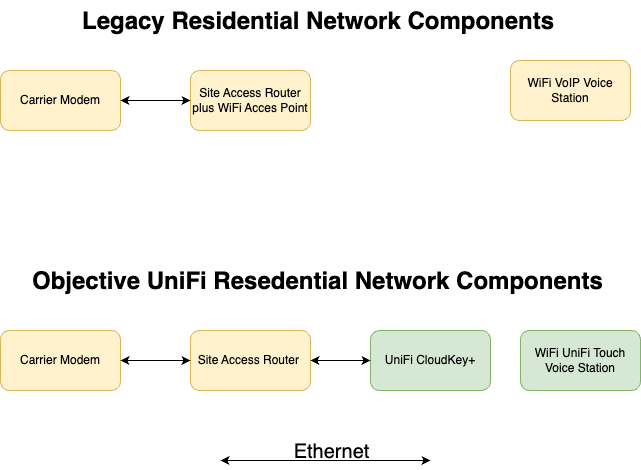
The figure above shows the legacy network configuration and the resulting configuration after installing the UniFi CloudKey+ and Talk application. This is the equipment needed to deploy Talk without replacing the carrier’s access point and router. The green blocks are the new equipment needed for a Talk-only deployment.
Patch the CloudKey input port to a LAN port on your router. The Talk application runs on the CloudKey and communicates with telephone sets via the legacy router and switch or WiFi.
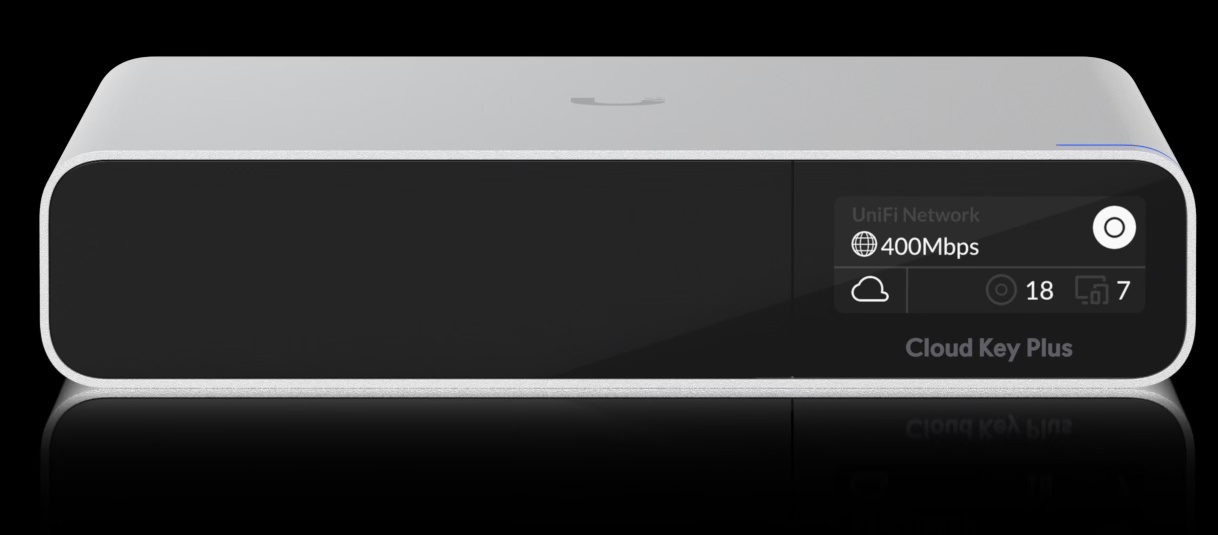
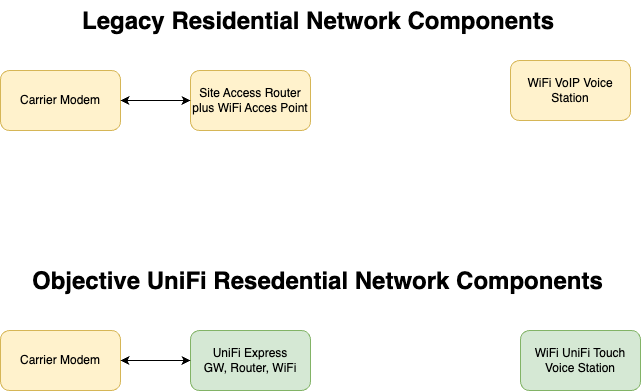
Should you wish to replace your carrier-provided router and access point, you would order a UniFi Express console rather than one of the CloudKey products. The UniFi Express gateway would replace the carrier-provided site access router.
Here at Dismal Manor, Ubiquity UniFi has been on site since 2017 so I just added the Talk app to my home Dream Machine gateway.
Visit the Ubiquity online shops (buy directly from Ubiquity [5], not Amazonian gypsies), to order a UniFi console [4] (if needed) from the gateways section and one locked (bound to a telephone number) desk set [3] from the integrations section. Add any Ethernet cables needed and a power over (POE+ or POE++) Ethernet injector (optional but useful) from the Accessories section.
Select a CloudKey+ to run a single app such as Talk. Select UniFi Express (has internal WiFi) if replacing your carrier’s WiFi router.
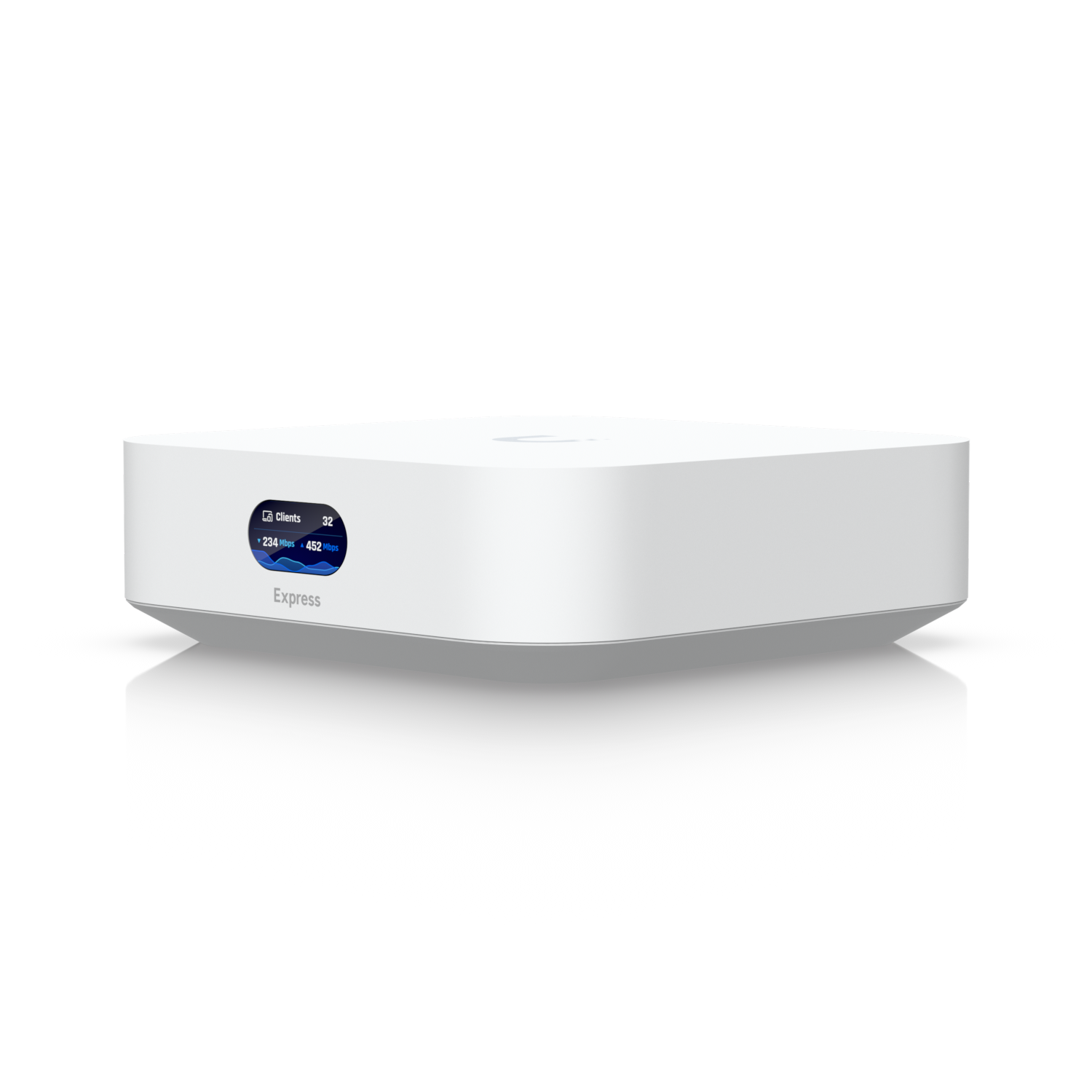
For cables, you will need one to connect the console to your carrier’s router and one to connect the telephone to a LAN port on your UniFI gateway. This temporary connection will be used to adopt and update the handset. Once adopted and updated, the phone may be used on WiFi
DIY or Professional Installation
UniFi networking products are designed for easy installation by a brave soul having some computer literacy. The application organization and tool tips guide your through setup. If you know a LAN port from a WAN port and can differentiate between RJ45 and RJ11 jacks, you likely can do the physical parts of the deployment yourself.
If you are comfortable following the instructions in the UI installation guides as shown in the MacTeleComm video [2] you have a high probability of successfully installing UniFi Talk on the console, configuring it, and starting your number porting.
If you would like assistance, three small businesses, Lawrence Systems, MacTeleComm Networks, and UniFi Nerds will assist you with the onboarding. You can contact them at the links below.
If you go the DIY route, UniFi division of Ubiquity has excellent onboarding help. The link needed to contact them is built into the Talk console. Many issues can be resolved in an hour or less. In most cases, a needed setting was missed. In other cases, terminology needs to be deconflicted.
Site Preparation
Wired networking is not required but it is sure nice. But expensive as you’ll be paying an old-work electrician and helper for a day of cable running. Since half of you are renters, we’ll stick to a WiFi deployment.
This discussion assumes deployment a UniFi CloudKey+ console without routing and WiFi. This approach approach is a one thing at a time
If deploying the UniFi Express console that includes routing and WiFi, you must remove your carrier-provided router and WiFi. This is necessary to prevent double NATing. This first step is completed and sorted before adding the Talk application to the console.
Double NATing happens when packets pass through two routers, each doing NAT of packets passing through the WAN interface. We eliminate this issue by using only one UniFi router in the system. UniFi routers detect double-NATing and will caution you to make corrections.
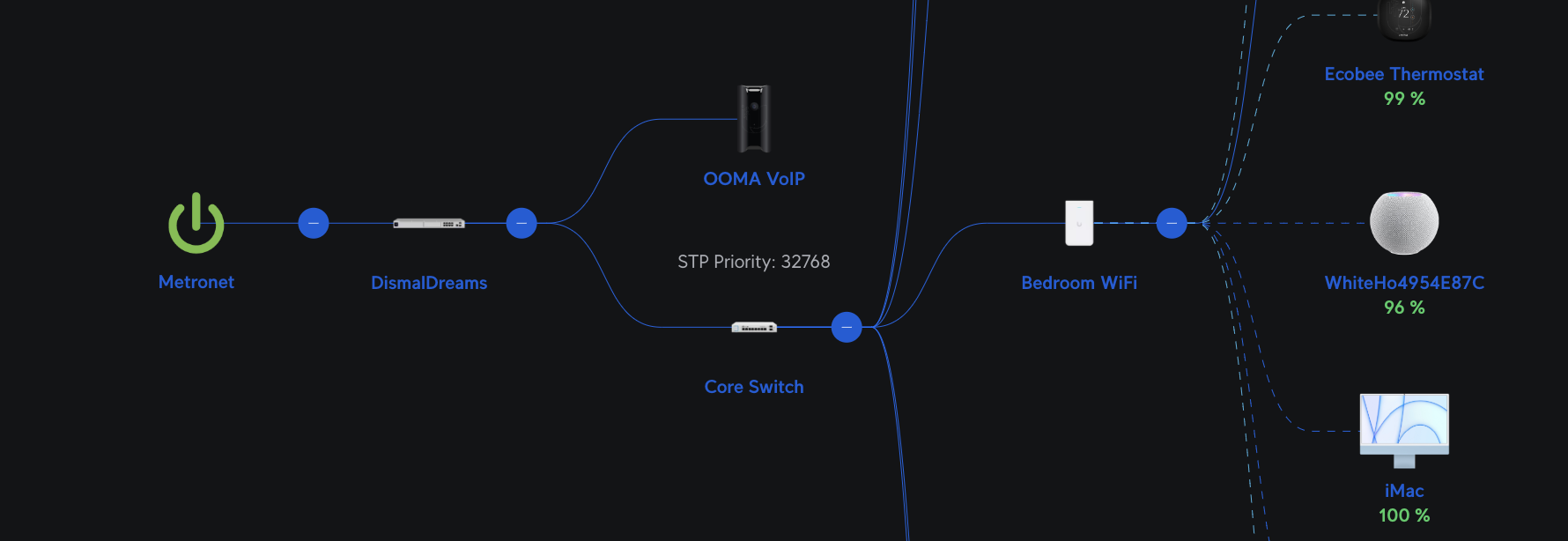
The figure above shows the Dismal Manor carrier access router, our local router, core switch, and and one of the access points. Hanging off the router is the OOMA Telo ATA from the legacy telephone provider. Once number porting has completed, I will uninstall the OOMA Telo. The UniFi Talk deployment replaces this equipment with the Talk application running on the local CloudKey+ console or UniFi Express Access Gateway.
Find a place near your carrier’s service drop for the UniFi Console. Connect the console’s WAN port to a carrier modem LAN port.
Find a place for your new UniFi Touch telephone set. It supports WiFi and has a USB-C connection for power from a 15W mobile phone charger. Connect the telephone set to power and let it sort itself out. Using the setup menu, select your WiFi network and set its password if not using wired Ethernet.
Initialize your UniFi console following the console-specific getting started instructions. The console package includes a “Getting Started” QR code that will take your mobile browser to the onboarding instructions for the console.
The mobile phone UniFi app makes device onboarding easy with some basic computing literacy. I suggest bribing a nephew with cake.
Today, Talk, just Talk!
If you are replacing your carrier-provided router and WiFi, you will be setting up and configuring the UniFi Network app. Network configuration is a topic deserving its own post. Cody Mac has an excellent 2024 UniFi Network deployment video on his YouTube channel.
Configure your UniFi router to obtain network settings from the carrier’s DHCP server. Configure DNS to be provided by 1.1.1.1 and 9.9.9.9, CloudFlare and IBM.
Getting UniFi Apps
Ubiquity offers a growing number of iPhone Apps that support its products. These apps are available from [7].
One is useful for commissioning, UniFi Console. These are the console app that will use Bluetooth to discover and adopt new UniFi hardware, and do initial setup.
The second is UniFi Identity which, provides off-site access to UniFi inside the lifelines capabilities. This app supports work remotely capabilities and the Talk SoftPhone. It allows an Android phone or an iPhone to be used as a UniFi Talk voice station.
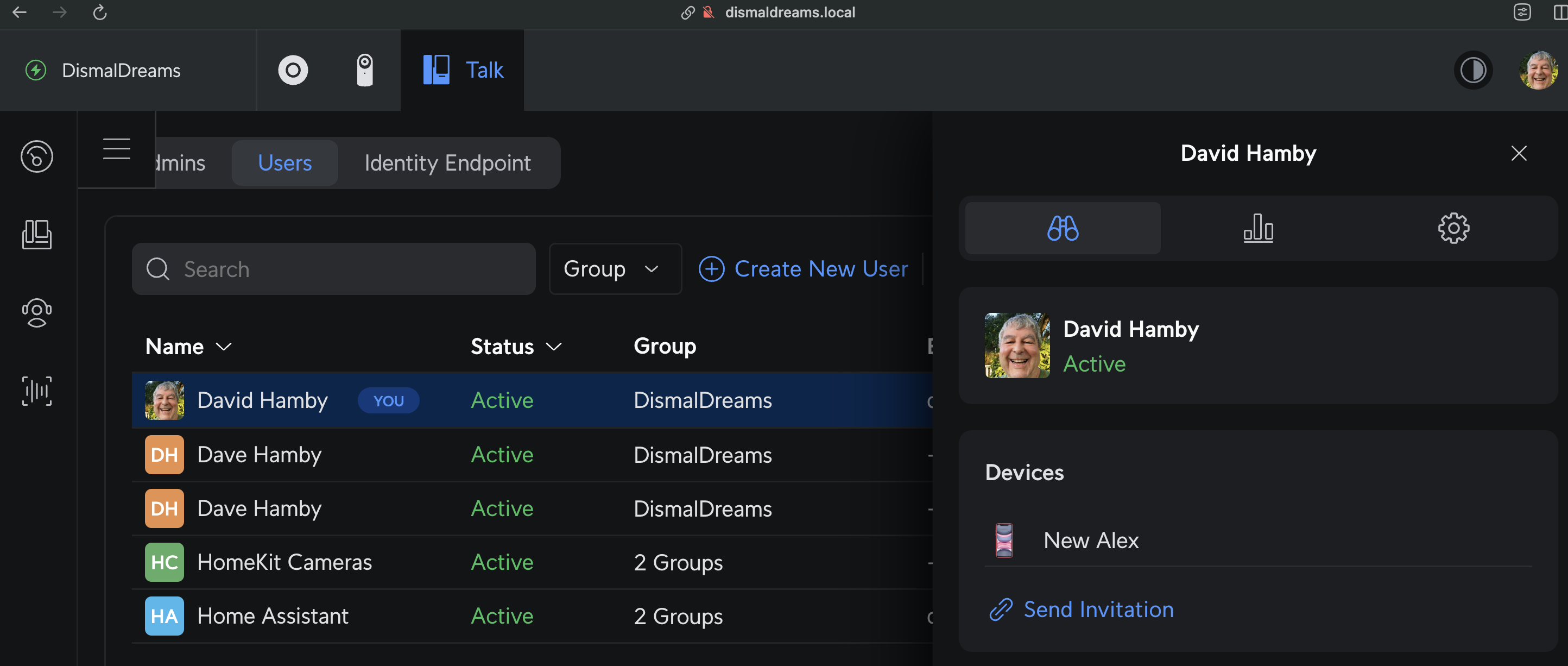
When the admin adds a Talk user having an E-mail address set, the console will send a Talk invite to the user. The link in this E-mail installs the UniFi Identity app and fetches the user’s Talk credentials. After a few minutes, Talk is ready to use. Now a mobile can be used as if it were a UniFi Talk station. Call quality with AirPods is great. Much better than my ear-wax laden iPhone 11.
UniFi Talk Setup Key Points
A Talk local deployment begins with the UniFi Console mobile app. It will use Bluetooth to discover local UniFi devices and add the UniFI Touch desk station to the local system. Once the UniFi devices are adopted, update the firmware using the mobile app.
Cody Mac’s video [2] walks you through the current interface and installation procedure. Although hard to read in the video, Cody is careful to explain which pages, tabs, and items he is currently working with. Since Cody is doing a throw-away demo configuration, many of the example values entered are somewhat notional. For example, he constructs a user name from the names of his two kitties. When he does this, the value is not critical to system behavior. You should choose naming settings with some care to have future nemonic value.
After the phone is adopted and updated, log in to unifi.ui.com and the online site management should prompt you to install Talk. Mac shows this process and carefully explains the choices. Ubiquity bills the proper taxes based on your country choice. It also selects the proper VoIP service peer, country code, and telephone number formatting.
You need to supply your country and agree to terms of service, basically that you’ll be good and pay your charges. Then, the display will shift to the console control plane where you can install Talk and select a service plan for each locked telephone station found.
UniFi Talk Service Plans
UniFi offers 2 UniFi Talk service plans, Plan Plus and Plan Pro. Plan Plus provides basic measured service for one station and number. Both plans include porting your current number in. Plan Pro provides all Plan Plus services and more.
- Caller ID delivery and lookup
- Softphone service for up to 5 mobiles per direct inward dial number.
- Unlimited Voice and SMS calling minutes
- Additional voicemail transcription “minutes”
- Business verification and CNAM (caller id) set to your business trade name
If you check user sentiment, you’ll find a lot home subscribers complaining that there is no caller id. Invariably, these complaints are from Plan Plus subscribers. Note that the Plan Plus does not include caller ID or SoftPhone support. If caller ID or SoftPhone support is important to you, subscribe to the Plan Pro.
UniFi Talk Key Features
UniFi Talk has been designed to support both residences and businesses. The site UniFi Console Talk software provides the these features.
- local voicemail recording and transcription,
- intercom calling,
- auto-attendants
- call parking lots
- conference calling
- video calling
- display of security cameras
UniFi Talk is not designed to support call centers. Incoming call queueing and automated caller interview voice response are not provided.
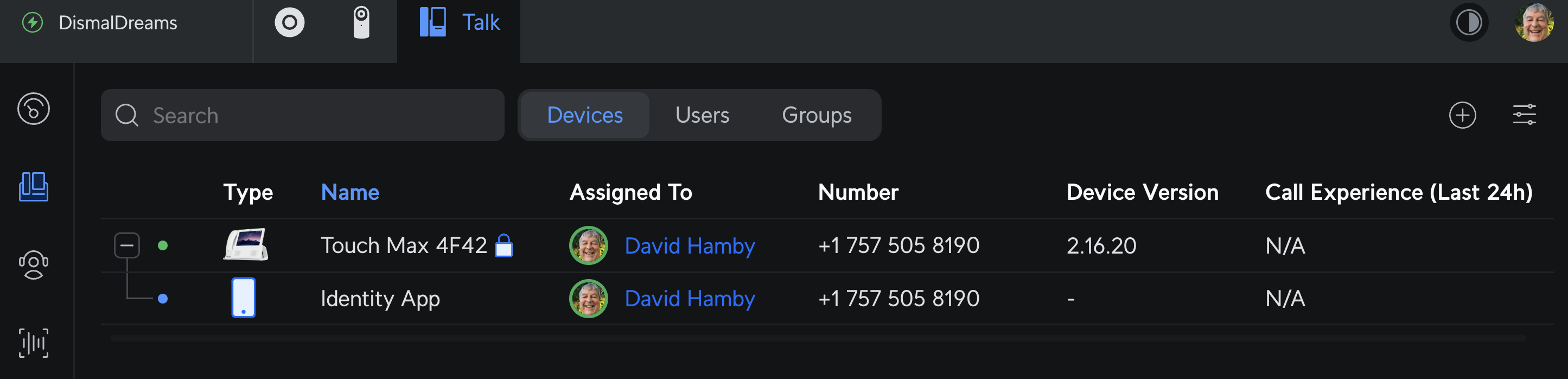
Demo number shown
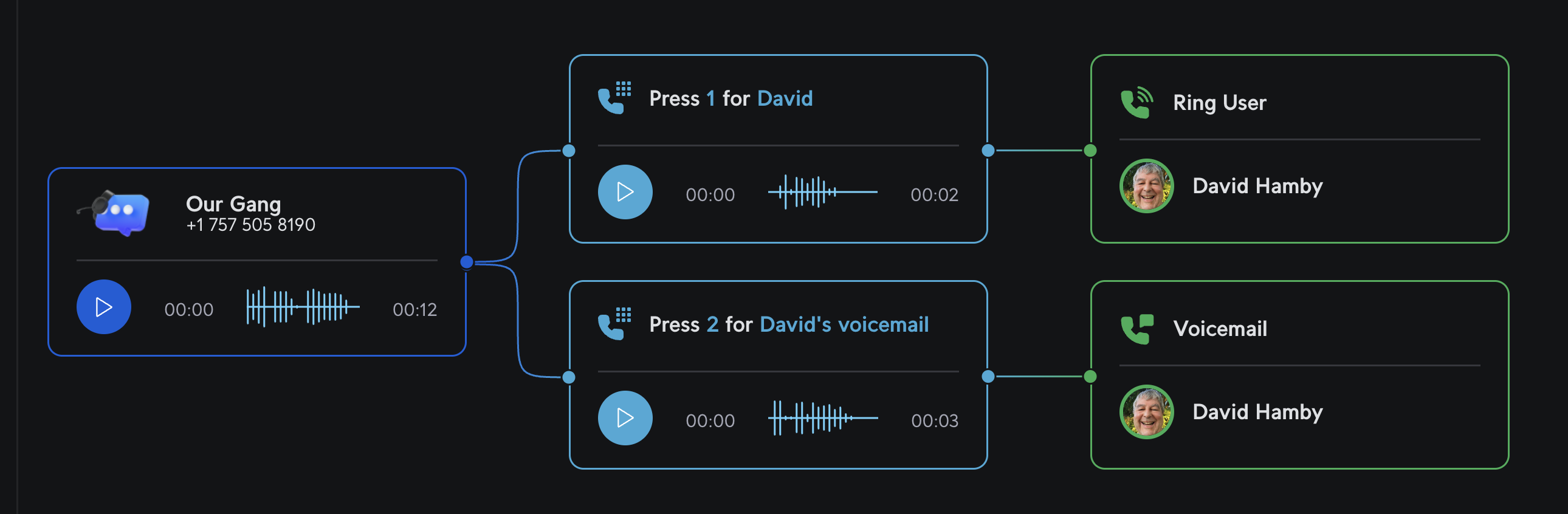
Auto-attendants direct incoming calls to the members of a group. A call park allows brief holds of calls. The auto-attendant is business hours aware with on-hours and off-hours behaviors. The attendant can route incoming calls to a group, an individual user, voicemail, or drop them.
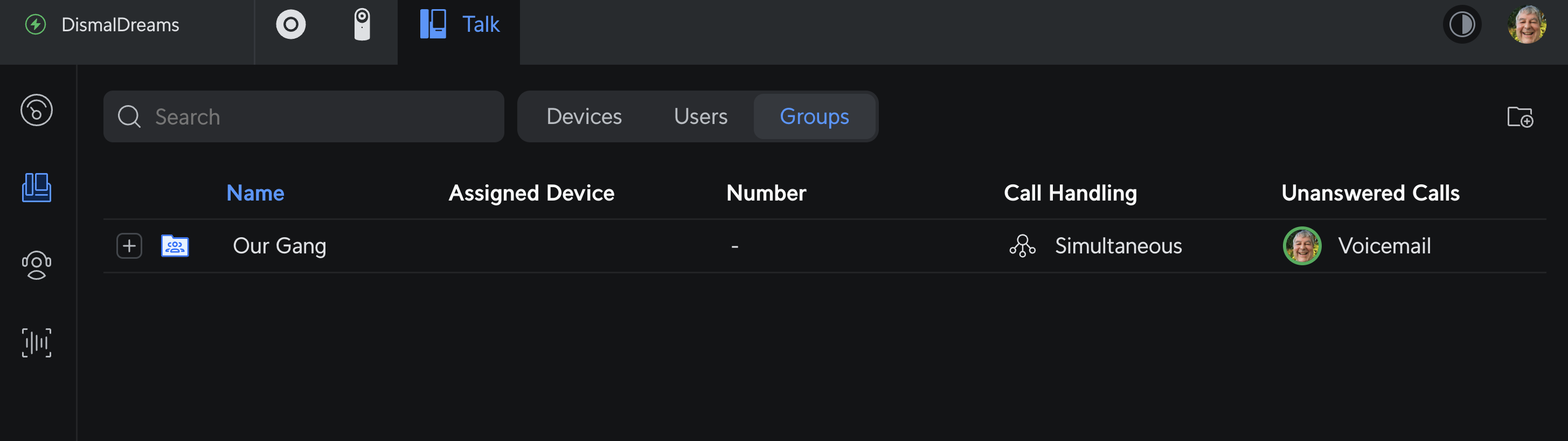
Incoming calls are recorded for voicemail and voicemail transcription. Outgoing calls and internal station to station calls may be recorded. If you enable recording, follow your state’s requirements for announcing that the call is being recorded.
Talk supports multiple telephone numbers. Numbers can be added as needed. Each external number can have an individual auto-attendant. For example, one number can be configured to receive customer calls. A second can be configured for business to business calls to talk with suppliers, etc.
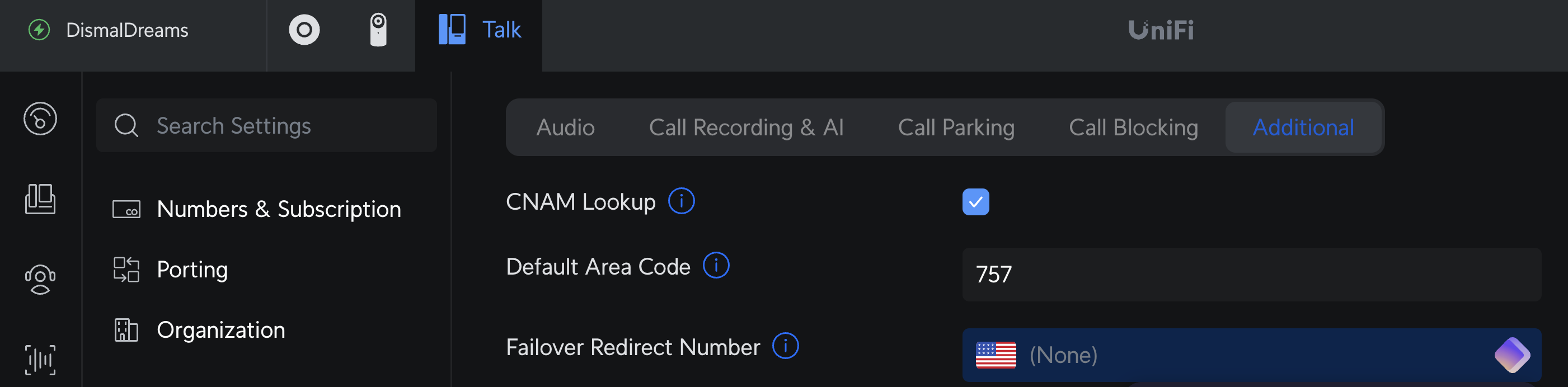
The system can be configured with a fall-back number to use if the primary is indisposed. This setting is found in Settings -> Call Settings -> Additional tab. The figure below shows the failover entry. In the upper left corner, a search field lets you find any setting in the Talk interface. This search field appears on every configuration form.
UniFi Touch stations can be configured for off-site use over a Teleport VPN. Combined with the ability to change auto-attendant messages from off-site via UniFi.ui.com, snow day support is easy.
The Teleport VPN allows use of a UniFi Talk phone off-site. The user settings enable Teleport connections and send an invitation and credentials by E-mail. The Touch phone’s camera scans the included QR code and loads credentials. It is unlikely that a residence would use this feature. (Well, for lake cottage and hunting lodge?)
Ubiquity does not offer a cordless handset. iPhone and Android mobiles may be used by installing the UniFi Identity app. Identity includes a VoIP phone configured for UniFi Talk. The off-site management console can change the auto-attendant messages so, surprise snow days are no more difficult than expected closings.
Spam Call Handling
Ubiquity has not contracted with a call screening activity like RoboKiller to filter out spam calls. Ubiquity’s VoIP provider Twilio [8] does do spam call origin validation during call completion.
To deal with leakers, most clever residential subscribers configure a group and auto-attendant to answer incoming calls. Most spammer robots can’t deal with the pauses in the auto-attendant or the requests to press buttons. This is so effective that YouMail offers a similar press button screening technique.
The number shown is a demo number.
Support
The settings page sidebar has several key links. The top one is access to the site’s console control plane where applications like Talk are controlled and updated. Admins & Users page assigns Talk services to users. The “submit ticket link” lets you create an assistance request. Most issues are resolved in an hour including some waiting and some routing to the proper support group.
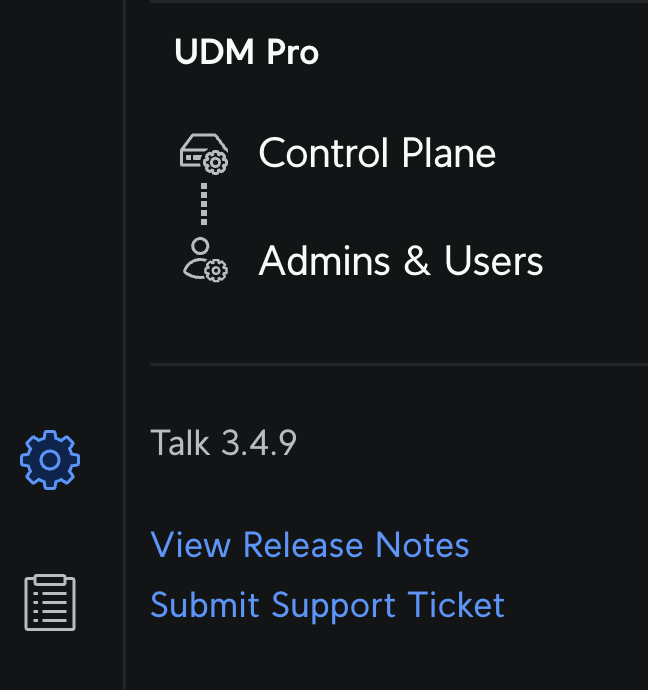
Ubiquity has a good on-boarding support environment. On the settings view at the bottom of the sidebar is a support link that opens the support system. There you can search the knowledge base. If no joy or you need more help, you can start a chat session. On setup, Talk was not completing outbound calls. I used the ticketing system to get this issue sorted. To reach a support engineer took about an hour as Networking handed the ticket over to Talk team. Activating advanced call routing resolved the issue.


 Dismal Manor Dispatches
You must be logged in to post a comment.