
Why a view of the dog’s observation post (back porch)? On the railing columns are two battery powered video cameras whose batteries can no longer be charged. These cameras are to be replaced. But with what? What did the original cameras do? What should the new ones do? What should I purchase? Read on to learn what Dismal Wizard did.
Revisions
- 2024-06-29 Original draft
References
- https://store.ui.com/ product pages for mentioned camera security products retrieved in June 2024. Cameras include: G4 Instant, G5 Flex. And Sensor UP-Sense.
Legacy Cameras
I put the EuFy cameras up to watch the side yard and porch. By including the porch deck in the view, they could notify me that a dog was on the deck, possibly wanting in. The original cameras were HomeKit video capable and I did this processing in HomeKit.
The EuFy cameras had several problems. First, I had to be careful to keep the video within the lifelines. That meant than no EuFy cloud services could be used. The cameras had to be bridged to Apple HomeKit. I used the Home App machine vision and notifications.
Without using EuFy cloud services, I had to record video in Apple HomeKit. The Apple critter detection and notifications worked well but I was not comfortable with video recording and retrieval for surveillance. Although it can do that, it is not very good at it. I suspect one of the Apple Home devices was doing the storage, maybe backed by iCloud. There are no specs for the amount of video that could be stored and retrieved.
2024 Requirements
After living with the EuFy requirements for a number of years, I’ve learned several things. Greyhounds, though quiet dogs, have voices and will use their outdoor voice when they want in. The dog doorbell has become less important than actual dog surveillance.
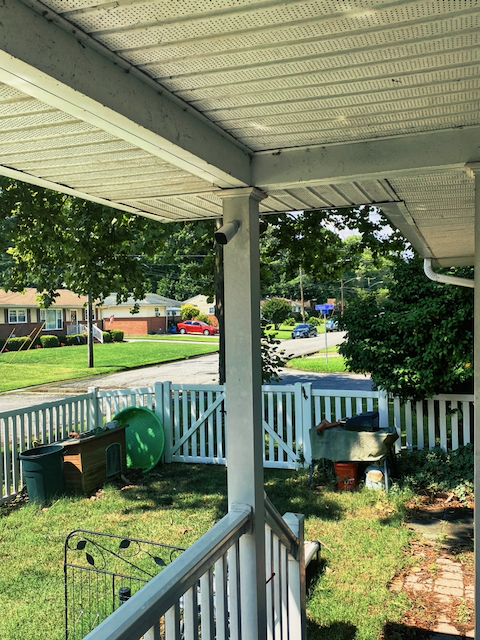
The primary purpose of this update became improving surveillance of the back garden. Although somewhat concerned about a dog mishap, the ride-on mower is stored in the back garden. It wouldn’t hurt to keep an eye on it. If nothing else, it supports the insurance claim.
The requirements changes I identified include the following modifications and additions to the surveillance kit.
- Move all security functions to a single system. Having them split between UniFi and something else is double trouble. And Apple Home Kit is not a security product.
- The new cameras should watch the lawn between the house and the fence. The wired cameras cannot see this area.
- The equipment gate should be monitored. The transition from paddock to side garden should be monitored.
- An alternate means of detecting the dogs on the landing should be provided.
- Door opening and closing should be logged to facilitate retrieval of security event video.
- The equipment used should be UniFi kit capable of being added to the UniFi Protect system.
- Video should be bridgeable to Home Kit or Home Assistant for further use.
- Video and stills should be easily exported to support my social media habit and any official needs.
UniFi Networking at Dismal Manor
When DW bought Dismal Manor, he and an electrician installed wired Ethernet, telephone jacks on Ethernet, and CATV jacks in each of the bedrooms and the lounge. This cable plant remains in service. In the beginning I used NetGear networking and WiFi.
Dismal Manor moved from NetGear to UniFi networking when I retired. At the time, I was a member of the committee developing requirements for the network plant, sound, and lighting at church. This gave an opportunity (excuse) to learn about UniFi networking by installing it here. Since then, I have been doing rolling upgrades of the UniFi kit as needs changed and devices appeared to become obsolescent.
Our network core is a UniFi Dream Machine Pro plus a UniFi Switch-8-150 8 port Gigabit POE Ethernet switch. Though dated and getting full, this switch still serves well.
From here, the Ethernet spiders out to 3 cameras and 5 outlets, two of which have UniFi InWall Wi-Fi access points with 4 port switches. One of the switch ports will pass POE to the connected edge device.
There are rack switches in the study, audio, and video racks. Each of these has a modest amount of power available to operate a telephone or camera.
UniFi Protect Video
Why UniFi? Simply because the hardware and software is developed here. Most small business surveillance products now come from Taiwan or China. The Chinese products are suspect from a network security and espionage standpoint.
UniFi has a reasonable price and good SOHO capabilities. The purchase price includes use and updating of the management environment and device firmware.
US products tend to be oriented to communications, power, chemical, and other high stakes, high requirements industries. It is typical for these to require a license purchase plus service subscription. We need simple video and no corporate hands in our pockets.
Dismal Manor has 3 UniFi G4 fixed cameras hanging from the soffit. These watch the back garden, porch, and carport. Also on the porch is a EuFy doorbell to be retired.
Inside the lifelines, there is a UniFi G4-Instant portable USB powered Wi-Fi camera. These are weather resistant and may be placed outside provided you use UniFi’s weather resistant power adaptors.
Constraints
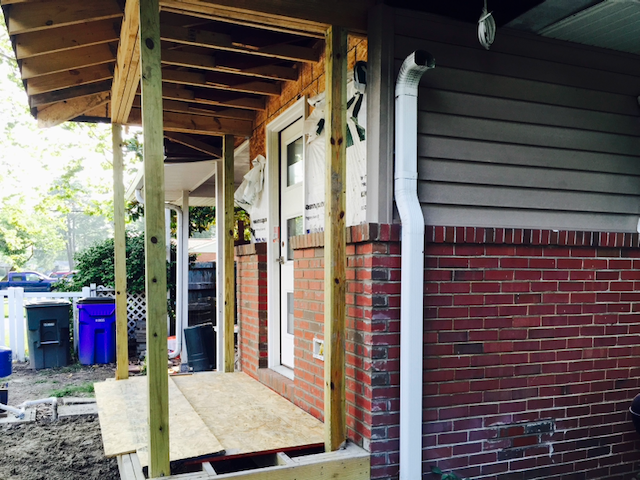
We’ve got to have some constraints, mostly to keep the budget sane and to keep Microsoft and other camel noses out of the tent.
- Continue on with the UniFi NVR in the Dream Machine. This puppy has 8 TB of storage and is rock solid.
- Avoid running Ethernet cable. The porch framing is a bit tricky but the carport overhead is accessible.
- The porch hip roof is added over the original hip roof making attic access difficult now that the framing is closed in.
- Avoid electricians for now. Access to good camera mount points involves some unpleasant old-work wire running in the attic and porch overhead or through the undercroft. Nothing past the house corner is easily accessible.
Purchases
Keeping UniFi on, I ordered the following.
- Two UniFi G5-Flex PoE cameras for inside. These are our dog cams, SKU G5-Flex.
- Three pack of UniFi All-In-One sensors, SKU UP-Sense .
- One UniFi G4-Instant USB/WiFi camera (or G5-Instant if in transitions), SKU G4-Flex.
- One U6 InWall WiFi access point, SKU U6 InWall.
The G5-Flex cameras are POE. Ethernet is available en-suite and in the Lounge at a Switch-8-50 and the In-Wall access point.
G4-Instant cameras are in perpetual backorder. These are the cute little USB powered cameras. The one in the lounge will move to the porch under the porch canopy. A second will be added to watch the gate area.
The G4-Instant USB power adaptors have their tails positioned such that they can foul the adjacent outlet. It may be necessary to switch adapters. The UniFi adapters are water resistant.
UniFi All-In-One sensors will log door openings and sense dogs on the deck.
Deployment Plans
In the porch construction photo, you can see the outlet that will power the USB cameras and the post on which they will be mounted. I took iPhone photos to model the views from the new cameras. The legacy EuFy cameras will come down.
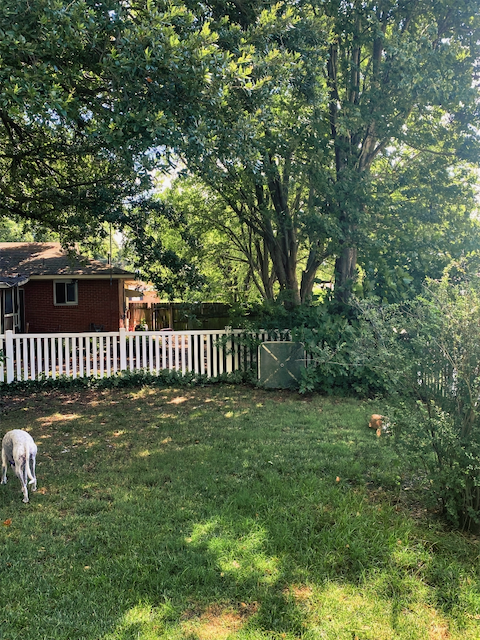
A second camera on the far side of the post provides a good view of the steps, gate, and garden corner.
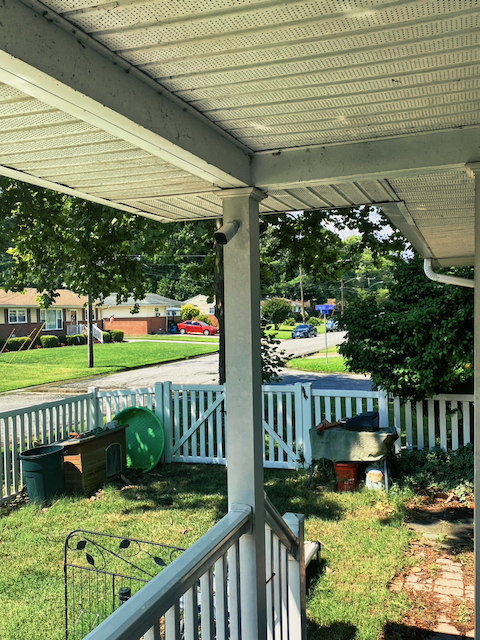
When pointing the far side camera, some care must be taken to keep the porch light out of the frame. It tends to night-blind the camera.
Two All-In-One sensors will replace existing EveHome door sensors. The All-In_One combines a motion sensor, magnetic reed switch sensor, audio sensor, light sensor, temperature sensor, and humidity sensor in a compact battery powered package. Protect logs state changes. These events are easily located making it easier to find interior video of an intruder. The All-In-One devices need a recent Dream Machine or WiFi U6-series access point with Bluetooth.
Current status
This post has been a work in progress for about a week. In that time, the two U6-Flex cameras and the UP-Sense devices have come. On July 4 and 5, I did the tinkering to get this kit working in UniFi. Oh, and MetroNet Communications installed the fiber network service.
- I moved the G4-Instant camera to the porch and took the masthead image.
- I’ve created a new WiFi network for the G4-Instant cameras. They are now on the same VLAN as the other video.
- The UP-Sense devices are in hand awaiting receipt of the U6-InWall access point.
The work remaining is to install the U6-InWall access point, adopt the UP-Sense gadgets, and decide where to deploy them. Two are assigned to the house doors. The original plan was to put the third on the porch to sense the dogs on the landing. This will need some experimentation. The other alternative is to put them on the gate. It may be beyond the reach of Bluetooth.

 Dismal Manor Dispatches
You must be logged in to post a comment.