
I’ve probably written about CYME PeakTo before but today seems like a good time to do so again. And to tell you how I have reorganized all of the photos at Dismal Manor. This all began when I noticed that the 2 TB MacOS system volume was getting skosh free space so I began looking into a potential solution. Read on to learn about the tools used and what I did.
Revisions
- 2024-04-27 Original
References
- DiasyDisk disk storage analysis, display, and pruning.
- CYME PeakTo image asset catalog and smart searching
There’s got to be a story!
Today’s story began when I retrieved Friday’s mail. In the mail was a postcard from Norfolk city boffins making an assessment of the residential structures water supply laterals from the main to the structure. Providing an authoritative answer for Dismal Manor was simple as Dismal Wizard had contracted replacement of the water and sewer in 2005 when he managed to plug the sewer and knew that there was tar paper and galvanized in the trench. Several thousand dollars later there is now PVC and PVC in the trench. And there were photos of said trench and pipe. But where the hell were they.
Simple, ask PeakTo to search all sources for “plastic pipe in a trench”. PeakTo searched, found the water and sewer replacement work photos, and all the plastic fence and stuff about the place. But I had what I needed confirming that we did both water and sewer back in 2005.
Why PeakTo came to Dismal Manor
Over the years, I had tried about every image asset management product for MacOS including
- iPhoto
- Aperture
- Adobe LightRoom
- Capture One Sony Edition
- SkyLum Luminar family
- Google Photos daemon
So I had a lot of image libraries and a whole bunch of stuff in Google. Somehow, I forget how, I discovered PeakT0, most likely when it was mentioned in an Apple News trawled up story.
I grabbed an evaluation copy and turned it loose to analyze this mess. PeakT0 can read all the common “professional” image asset management product catalogs. So I took a trial subscription and turned PeakT0 loose on my mess. To my amazement, it was able to track everything down and bring some order to it. The machine learning driven search found the image image on the masthead for me. And everything else.
Daisy Disk Assists
With the system volume approaching full, I needed to do something. So I ran a Daisy Disk analysis that a pie chart from the results of of “ls -lsHr”
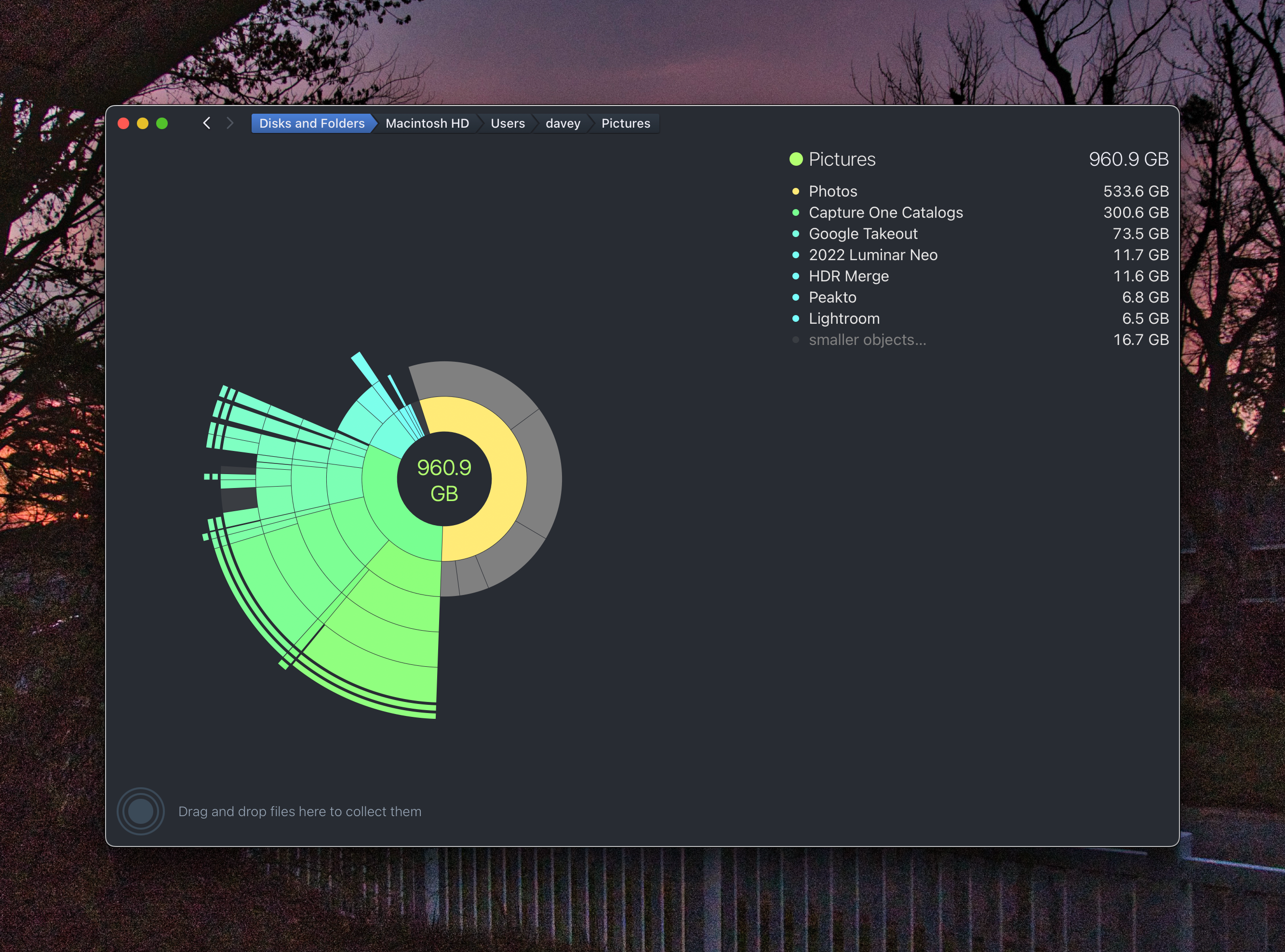
Here I can clearly see how much schmutz is in each subdirectory of Pictures. It also clearly shows the motley collection of photo tools used over 20 years of MacOS driving.
I needed to get this stuff off of the system volume. But where to put it. Photos needs an APFS volume for its Photos.aplibrary but it can’t be a SMB share as copy on write and snapshots are expected and likely used. So I bought a LaCie external USB solid state disk, formatted it APFS, and moved all my treasures over there. So, I had DaisyDisk scan the external volume producing the following results.
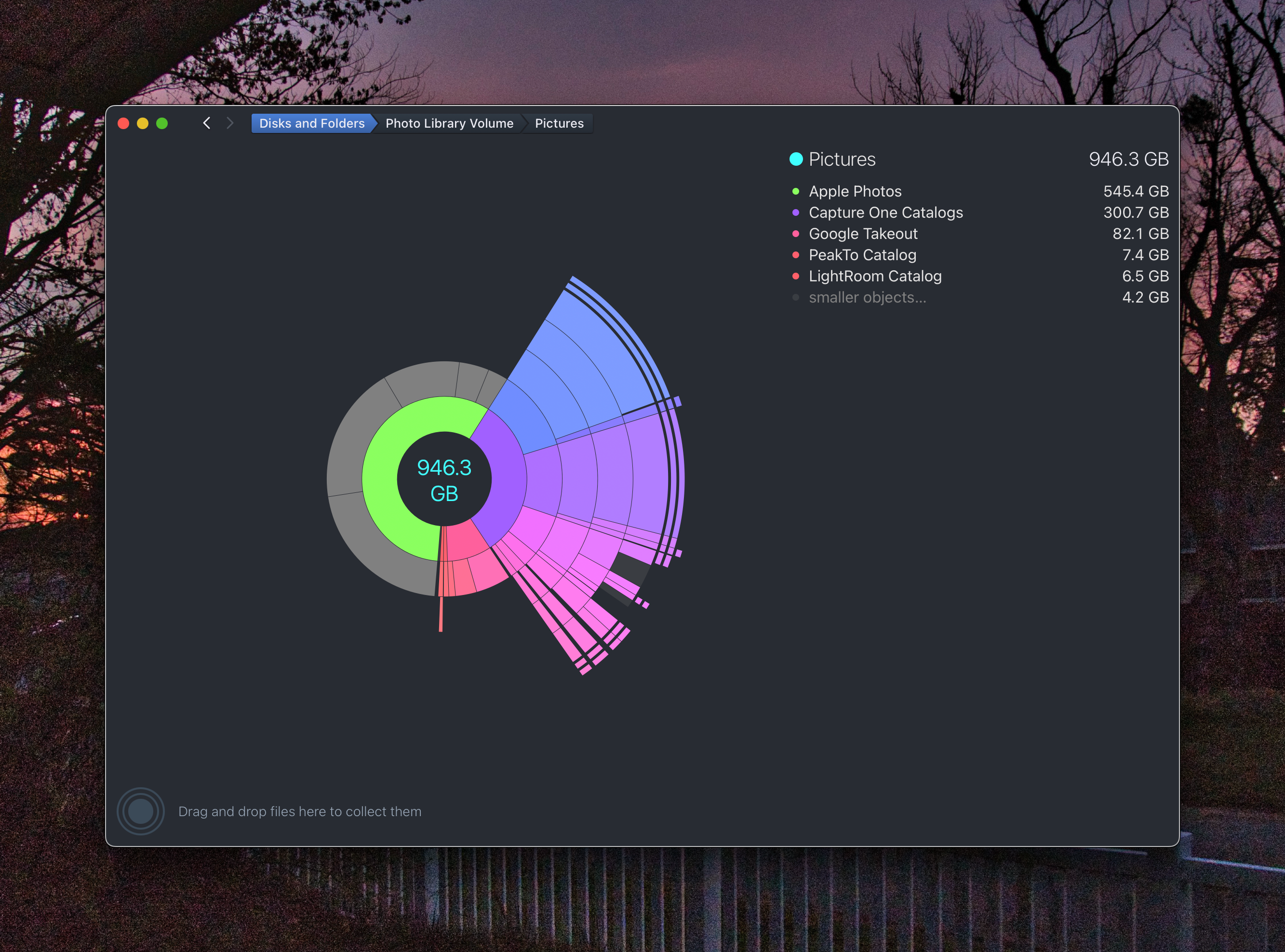
It looks like most everything is over there. Once everything had been marshaled in its new home, I rebuilt the PeakTo catalog from the external.
Now with any luck, I have every image cataloged and ensconced on the the new APFS external disk. I’ve not had the courage to delete my originals. I’m keeping that space in my back pocket (probably silly)

 Dismal Manor Dispatches
You must be logged in to post a comment.